Most B2B SaaS teams spend thousands driving traffic to their site, only to lose qualified buyers in the gap between form fill and booked meeting. The data is stark: the median qualified-to-booked conversion rate across B2B SaaS sits at 62%, while the top 10% of companies book 78% or more of their qualified leads. The difference isn't better ads or sharper copy. It's what happens in the 30 seconds after someone clicks "submit." If you're running HubSpot as your CRM and marketing hub, your lead routing setup is the single highest-leverage area to close that gap. Building the best lead routing configuration for HubSpot means rethinking how leads move from form to calendar, who touches them, and how fast that handoff occurs. This piece breaks down exactly how to structure that system for speed, accuracy, and pipeline quality.
The Inbound Conversion Gap: Why HubSpot Leads Stall After the Form Fill
The standard inbound funnel has a structural flaw baked into it. A lead fills out a form. That submission lands in a queue. Someone manually reviews it, maybe routes it, maybe sends an email. The lead might respond. Days pass. Intent decays. The meeting that should have happened never does.
HubSpot's native workflows can automate some of this, but most teams still rely on manual review steps or basic round-robin assignment that ignores CRM ownership, territory logic, or account history. The result is a process that feels automated on the surface but still introduces friction where it matters most: the moment a buyer raises their hand.
The Cost of Manual Review and Intent Decay
Every hour between form fill and meeting confirmation costs you pipeline. A lead that has an 80% probability of booking in the first minute drops to roughly 40% by the next business day. That's not a gradual decline; it's a cliff.
Manual review queues are the biggest culprit. When an SDR has to check a lead's firmographic data, verify routing rules, and then send a follow-up email, you're burning the window where the buyer is most engaged. They've already moved on to evaluating your competitor's demo. The old "five-minute rule" for lead response is now obsolete. Buyers evaluating multiple solutions simultaneously expect sub-minute or instant engagement.
Permission vs. Commitment Language: The 'Request a Demo' Trap
Your CTA language directly affects conversion. Among top-performing companies, 29% use "Book a Demo," 21% use "Get a Demo," and only 12% use "Request a Demo." The pattern is consistent: commitment language outperforms permission language.
"Request" implies a gate. The buyer is asking for something that may or may not be granted. "Book" implies action. The visitor mentally crosses the threshold from considering to doing while they're still on your page. Search your HubSpot site for every instance of "Request," "Submit," or "Get in Touch." Replace them with "Book," "Schedule," or "Pick a Time." This is a five-minute fix with measurable impact on your qualified-to-booked rate.
Core Principles of High-Performing Lead Routing
The companies that convert at 78%+ aren't doing anything exotic. They share three habits: they qualify in real time, they route based on CRM logic rather than simple round-robin, and they put a calendar in front of qualified leads immediately. No thank-you pages with vague promises. No follow-up emails. A calendar, right then.
Treating Scheduling as a Conversion Event, Not an Afterthought
Most teams treat the form fill as the conversion event and scheduling as a downstream task. Top performers flip that model. The form fill is just qualification. The real conversion is the booked meeting.
This shift changes how you design everything in HubSpot. Your workflows should terminate not at "lead assigned" but at "meeting confirmed." Your reporting should track qualified-to-booked as a primary metric, not just MQL volume. When you treat scheduling as the conversion event, you stop tolerating delays in the handoff and start engineering them out of the process entirely.
Benchmarking Success: Moving from 35% to 78%+ Meeting Rates
The old benchmark of 35% qualified-to-booked came from manual review queues and delayed follow-up. Based on aggregate data from over one million inbound form fills across B2B SaaS companies, the median is now 62%. The top 25% hit 72%. The best performer in the dataset books 88%.
If your team converts at 40% and you get to 62%, that's 22 more meetings for every 100 qualified leads on the same traffic and the same spend. Getting to 78% nearly doubles your output from that 40% baseline. The gap is entirely explained by process, not lead quality.
Optimizing HubSpot Forms for Instant Qualification
Your HubSpot forms serve two purposes: collecting enough data to route and qualify the lead, and doing so without killing your conversion rate. These goals feel like they're in tension, but the data says otherwise.
Balancing Friction: When to Use 2 Fields vs. 13 Fields
Top performers convert at 77% with 2-field forms and at 76% with 13-field forms. The number of fields doesn't matter nearly as much as whether each field does something useful. A 13-field form works brilliantly when every field serves qualification or personalization. Medical software buyers, for instance, expect detailed intake. A 2-field form works when your ICP is broad and any additional friction would cost more than the data is worth.
The question to ask about your HubSpot form isn't "how many fields?" but "what does each field enable?" If a field doesn't change who gets the lead or how the rep opens the call, it's costing you conversions without delivering value. Audit every field against two criteria: does it inform routing, and does it help the rep tailor the conversation?
Leveraging Vertical Positioning and Industry-Specific Fields
Generic landing pages underperform vertical ones. Construction Tech converts at 69.1%. Ecommerce at 68.8%. Travel Tech at 68.3%. Generic Sales Tech sits at 62.8%. The pattern is clear: vertical positioning wins.
Pick your best-performing industry or use case. Build a dedicated HubSpot landing page for that segment with an industry-specific headline, relevant customer logos, and form fields tailored to that buyer's context. "How many locations?" for multi-site businesses. "Current ATS?" for HR buyers. Run traffic to it for 30 days and compare against your generic page. These fields don't add friction for the right audience because they feel relevant, not arbitrary.
Automating the Handoff with an Instant Routing Engine
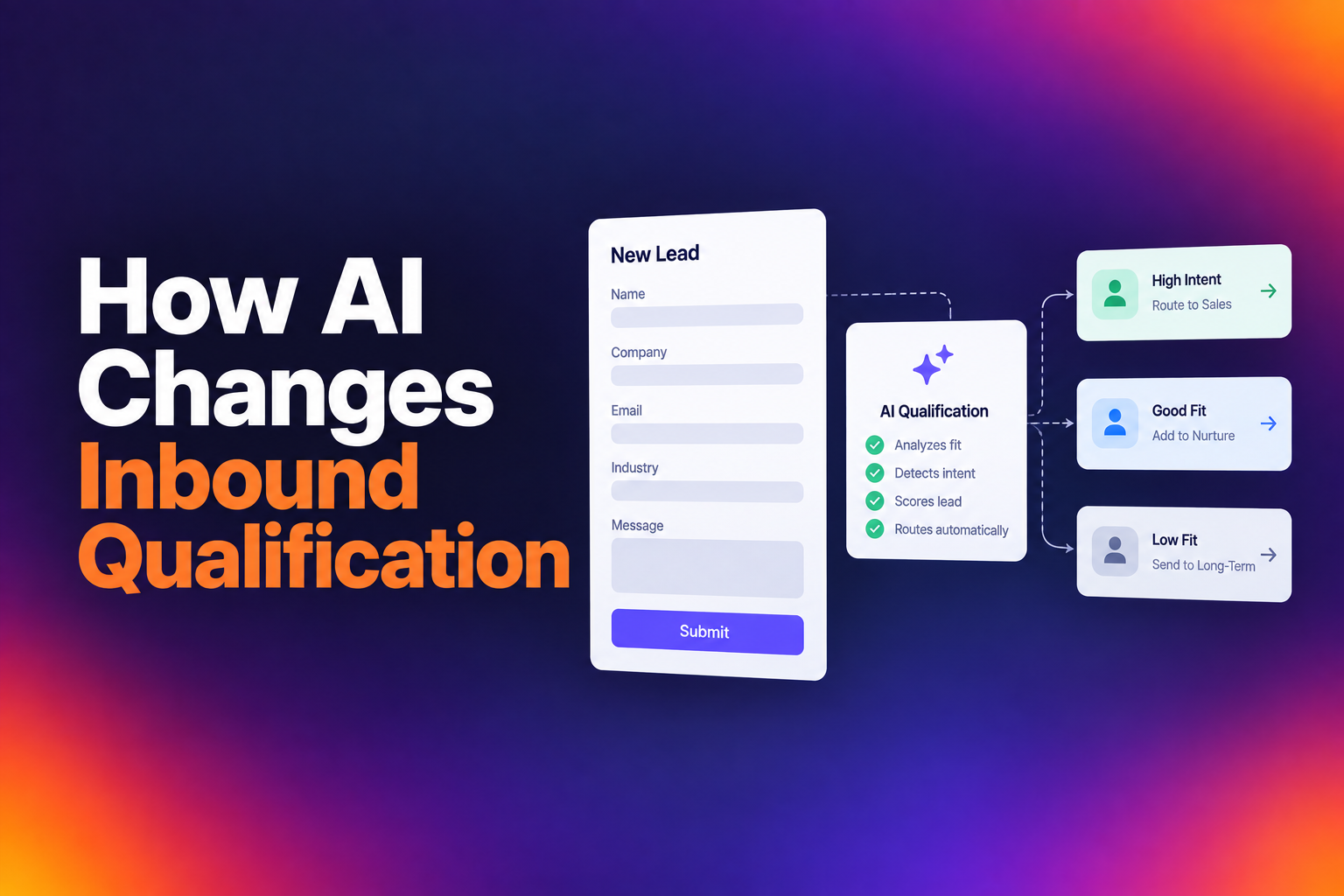
The handoff between "qualified" and "booked" is where most HubSpot setups break down. Native HubSpot workflows can assign leads, but they can't display a calendar in real time, check CRM ownership, enrich firmographic data, and route based on territory logic all in the same step.
Using CRM Ownership and Enrichment Data for Real-Time Assignment
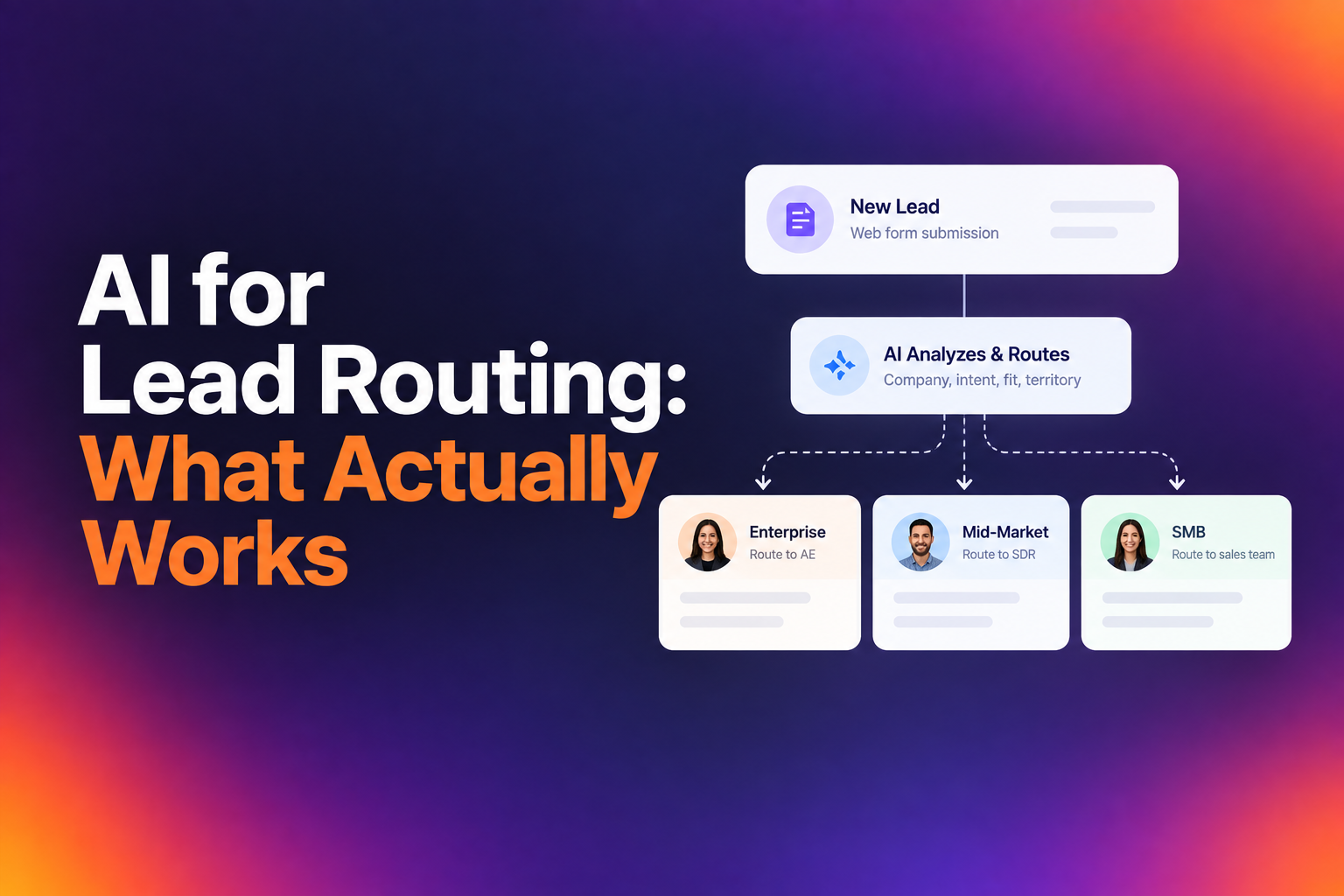
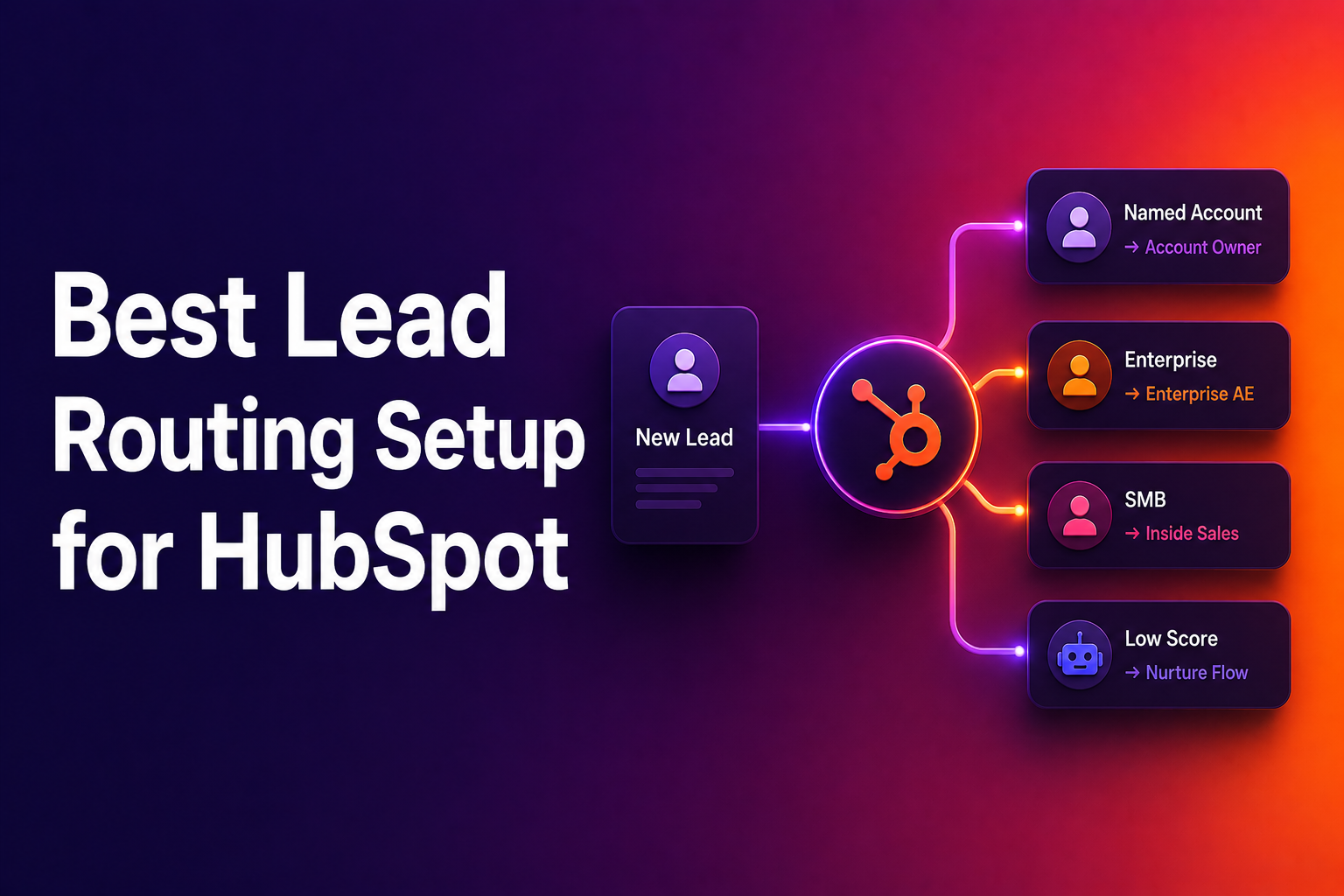
Simple round-robin ignores your existing CRM relationships. If a lead from an account already owned by a rep gets routed to someone else, you've created confusion for the buyer and internal friction for your team. The best lead routing setup for HubSpot respects existing account ownership first, then falls back to territory, product interest, or segment-based rules.
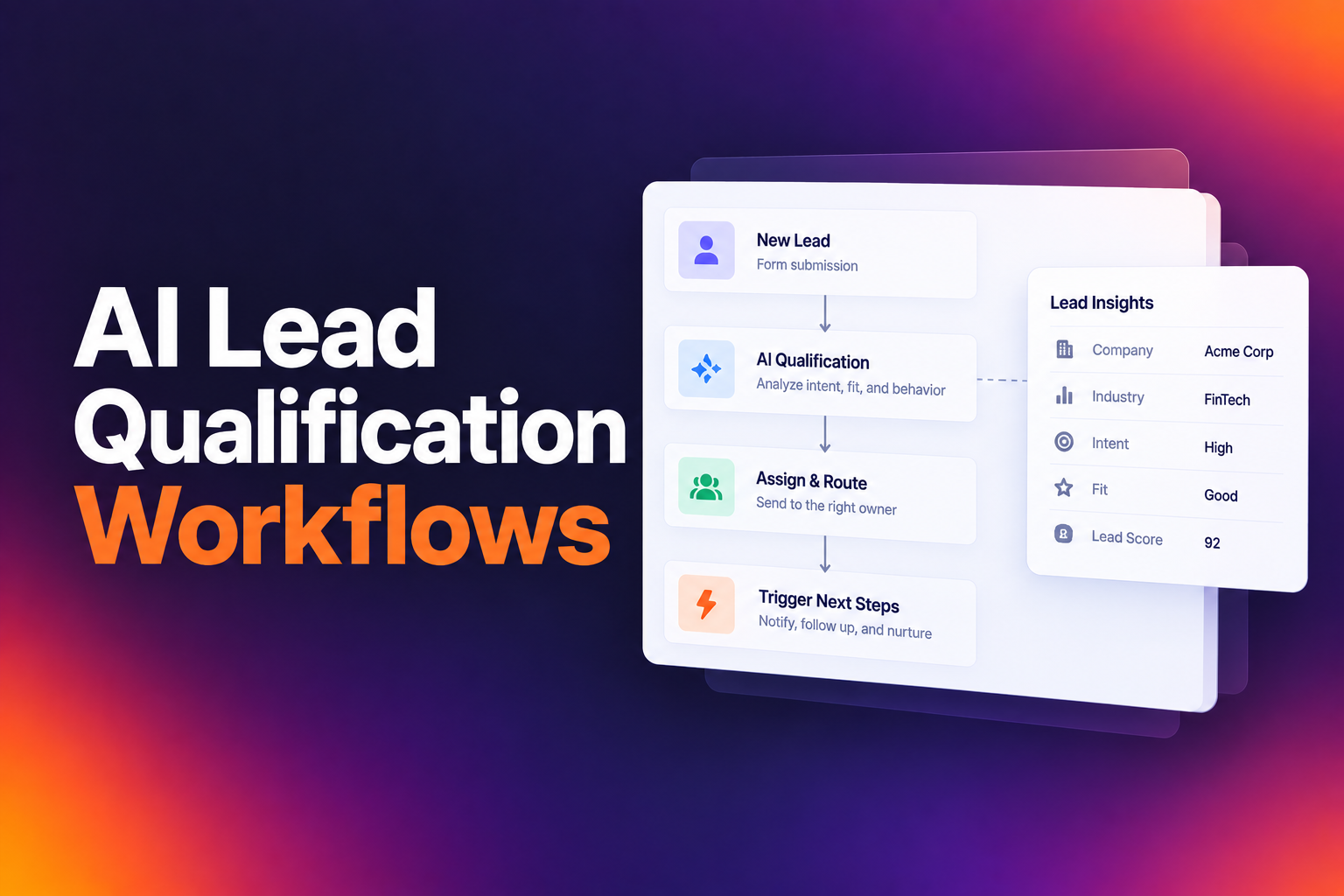
Enrichment data makes this possible without burdening the buyer with extra form fields. When a lead submits their work email, enrichment can pull company size, industry, tech stack, and location in real time. That data feeds your routing logic instantly. Tools like RevenueHero handle this qualification, enrichment, and routing in a single step, putting a calendar in front of the buyer the moment they qualify, with the right rep's availability already loaded.
Eliminating the 48-Hour Lag with Instant Calendar Displays
The 48-hour lag between form fill and meeting is the single biggest conversion killer in inbound. It exists because most teams rely on a sequence: form fill, then manual review, then email outreach, then scheduling link, then confirmation. Each step introduces delay and drop-off.
Instant calendar display eliminates all of those steps. When a qualified lead submits a form, they immediately see available time slots for the assigned rep. No "thanks, we'll be in touch" page. No waiting for an SDR to review the lead. The gap between "qualified" and "booked" shrinks to seconds. This is the infrastructure difference that separates 35% conversion from 78%.
Maintaining and Scaling Your Routing Infrastructure
Building the routing system is only half the work. Maintaining it as your team grows, territories shift, and market conditions change is what separates teams that sustain high conversion from those that see it erode over time.
Quarterly Reviews of Disqualification Rates and Sales Fit
Your disqualification rate tells you whether your routing is too loose or too tight. If your DQ rate is under 20% and your meeting rate is struggling, you're likely letting through leads that waste rep time. Consider tightening criteria on company size, industry, or use case fit.
Conversely, if your DQ rate is climbing above 40%, ask whether you're filtering out genuinely poor fits or just adding unnecessary friction. Review and update quarterly. Pull your HubSpot reports on disqualified leads by reason code, and cross-reference with your enrichment data to spot patterns. Are you rejecting companies that actually match your ICP because of a single field value? Fix that.
Aligning Routing Strategy with Seasonal Conversion Trends
Conversion rates aren't flat across the year. Q2 is the strongest quarter for inbound conversion, with April, May, and June all exceeding 60%. Q3 dips, driven almost entirely by August at 53.4% and September at 53.7%. Q4 recovers to around 58%.
Plan your biggest launches and inbound pushes for Q2. During the Q3 dip, resist the urge to loosen qualification standards or flood reps with lower-quality leads. The companies that maintain their qualification criteria through seasonal slowdowns, even when it feels counterintuitive, emerge with stronger funnels at scale. Adjust your routing rules for rep coverage during vacation-heavy months, but don't lower the bar on lead quality.
Building a Routing System That Compounds
The difference between a 40% and 78% qualified-to-booked rate on the same traffic is entirely about execution after the form fill. You don't need more budget or better leads. You need a routing system that qualifies in real time, respects CRM ownership, and puts a calendar in front of buyers the moment they're ready.
Start with your CTA language: swap "Request" for "Book." Audit every form field for routing or personalization value. Eliminate the manual review queue. Display calendars instantly. Then maintain the system with quarterly reviews of disqualification rates and seasonal adjustments.
Every one of these changes is within reach for any team running HubSpot. The question isn't whether the math works. It's whether you'll close the gap before your competitors do.
Let RevenueHero help your team turn high-intent users into booked meeting without slowing down your funnel.