
Report on every meeting and show the work behind it
RevenueHero keeps the record on every meeting, from the request to the outcome, so you can answer any rep who asks why a lead went where it did.
500+ B2B companies route and schedule leads with RevenueHero
.svg)
What really sold us on RevenueHero is the excellent team and support we’ve had from implementation onward.



Thanks to RevenueHero, we’re able to book meetings with 75%+ of qualified inbounds the same day, up from around 40%


After RevenueHero, we've cut short the time it takes for us to give a demo to our prospects. We've been able to do it much more quicker and it's a better process for prospects as well.




With RevenueHero, I can actually have a shorter sales cycle at a really high level of complexity. It's like all the logic happens at the point of signup, which means that there are no problems for my sales team.


RevenueHero works really damn well. The percentage of qualified meetings that were getting booked on our website within the first 3 months of implementation was beyond our expectations.





Every question about meetings falls on ops
A sales manager wants to know why one rep booked three times the meetings. A sales leader wants to know why this week looks slow. Most tools make you rebuild these answers in a spreadsheet.
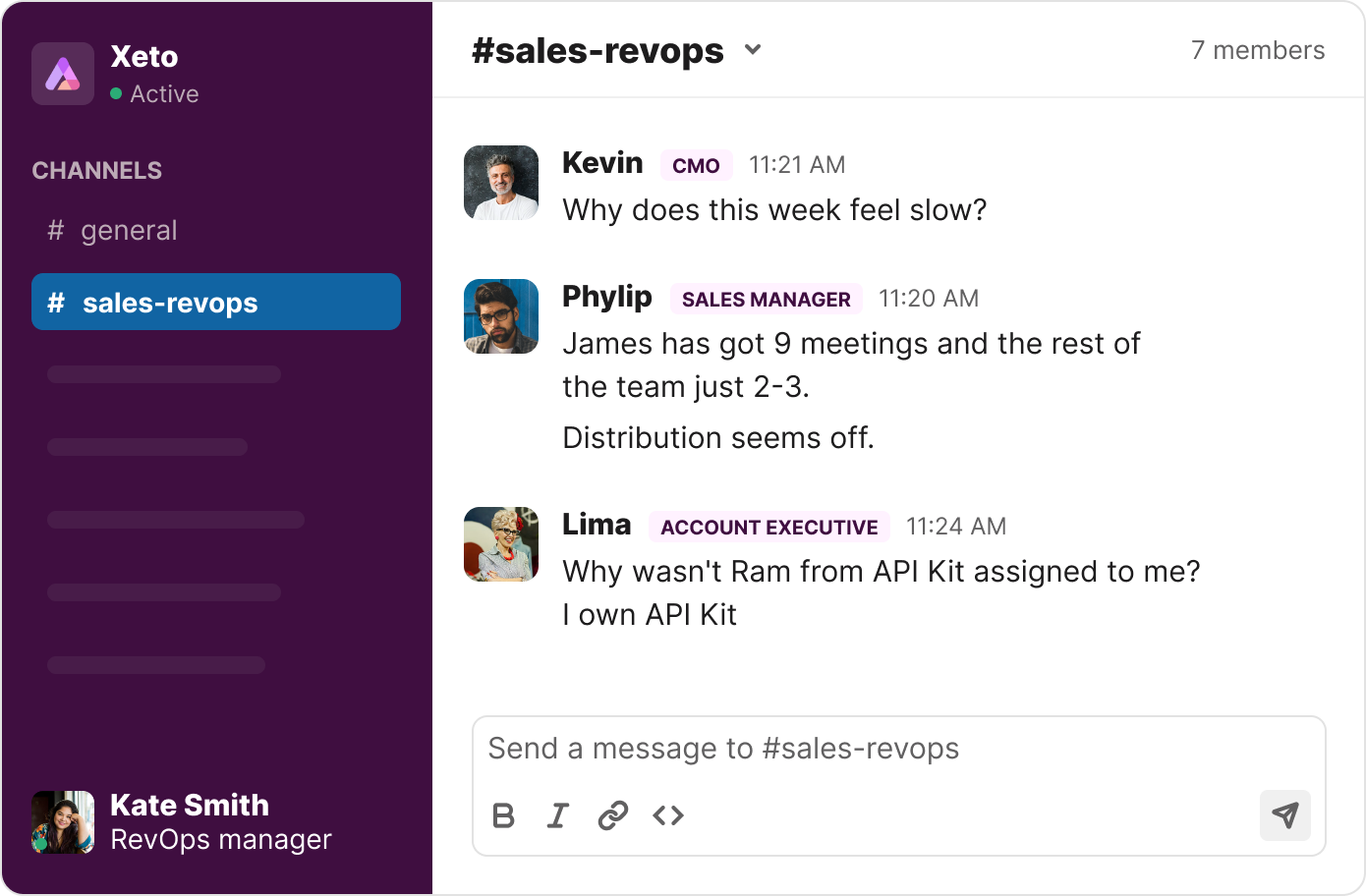
See a slow week early enough to act on it
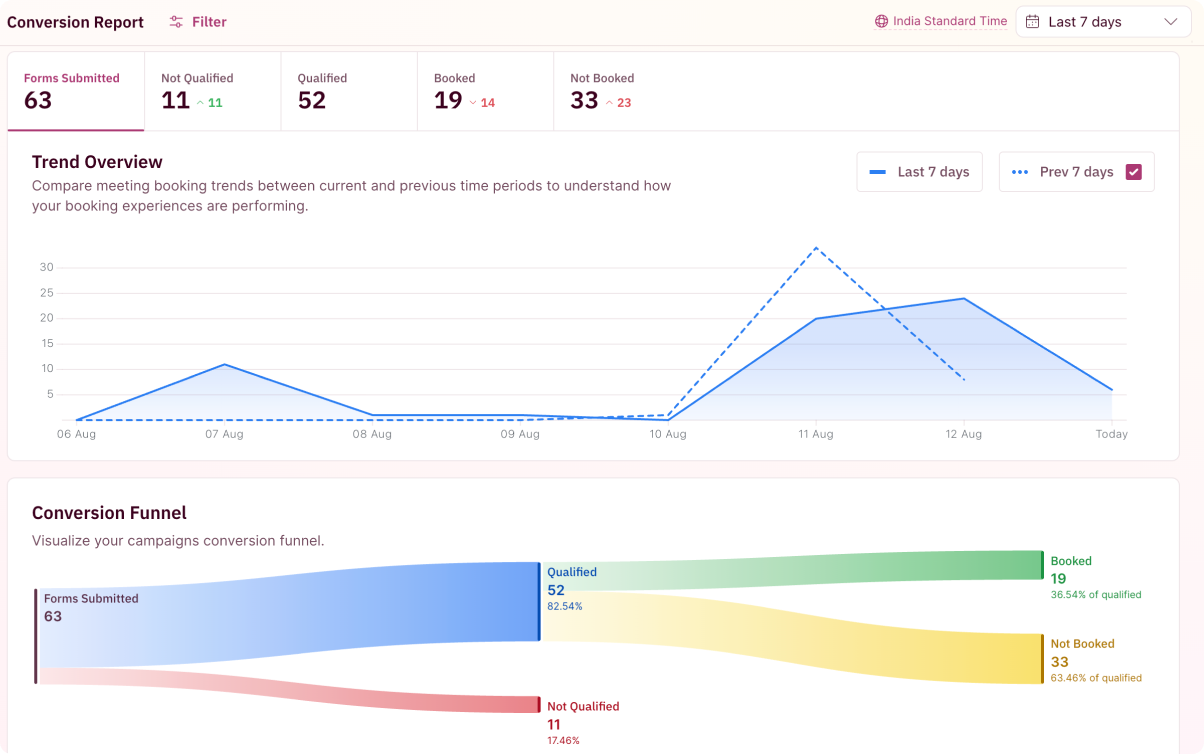
Nobody wants to find out on Friday that the week was slow. The conversion report compares this week against last, across every outcome, so a dip shows up while there's still time to do something about it.
- Period-over-period comparison: this week against last, in a comparison view that reads like an ad platform's
- Four outcomes tracked: form submissions, disqualifications, qualified form fills, and not-booked
- Funnel health in one view: every booking source aggregated, with drill-down to page, team, or form
- Named accounts vs. net-new: filter conversions down to the segment your campaigns actually target
“100% visibility on everything with conversion reports.”


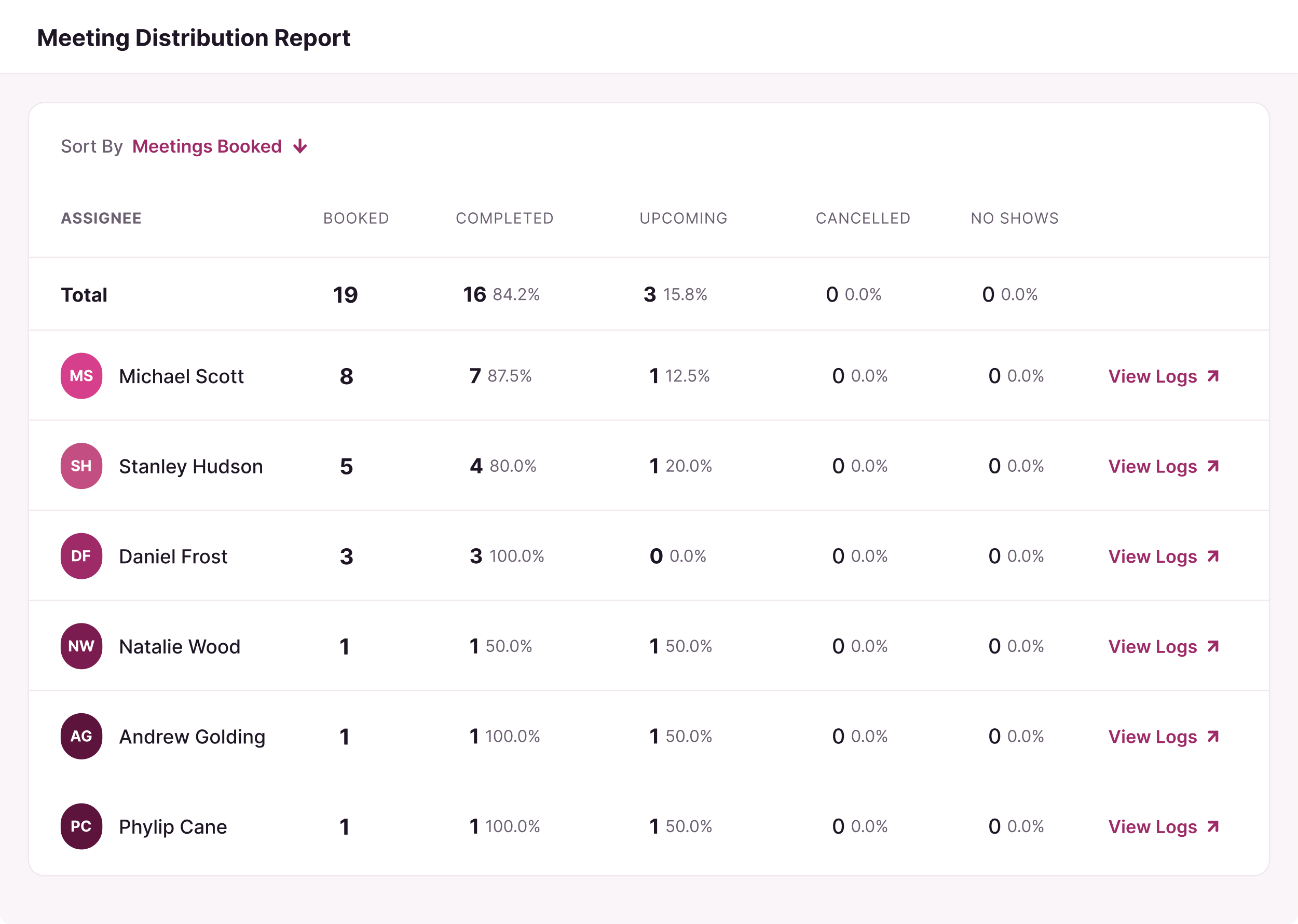
Why one rep has 3x the meetings, answered on one screen
When a sales leader asks that question, the answer is usually scattered across five screens. Here it's one: territory, cancellations, no-shows, and the logs behind every assignment.
- Every status by rep: upcoming, completed, canceled, and no-show, in one place
- Filter by router and team: cut the same screen for whoever's asking
- One click to the logs: open every routing log behind a rep's meetings for the period
- Export the quarter: the meetings CSV carries status, source, and the rule it came through
The full lifecycle of every meeting, from the first click to the CRM sync
Some questions are about one specific meeting, and those are the ones that eat an afternoon. The routing log keeps the whole lifecycle on a single record, from the first click through every update your CRM received.
- The full lifecycle on one record: submission and enrichment through assignment, booking, and outcome
- Downstream errors, printed: a failed Salesforce field update shows the exact error Salesforce returned
- Fix it without a ticket: ops resolves CRM errors directly, with no support request needed
- Saved views per team: filter sets with their own URLs, so each team keeps its own cut of the queue
“When I previously used Chili Piper, it was almost impossible to diagnose routing issues because it ran through Zapier and we lost a lot of the detail of the actions our instance actually took.”


Your meeting data goes wherever you report
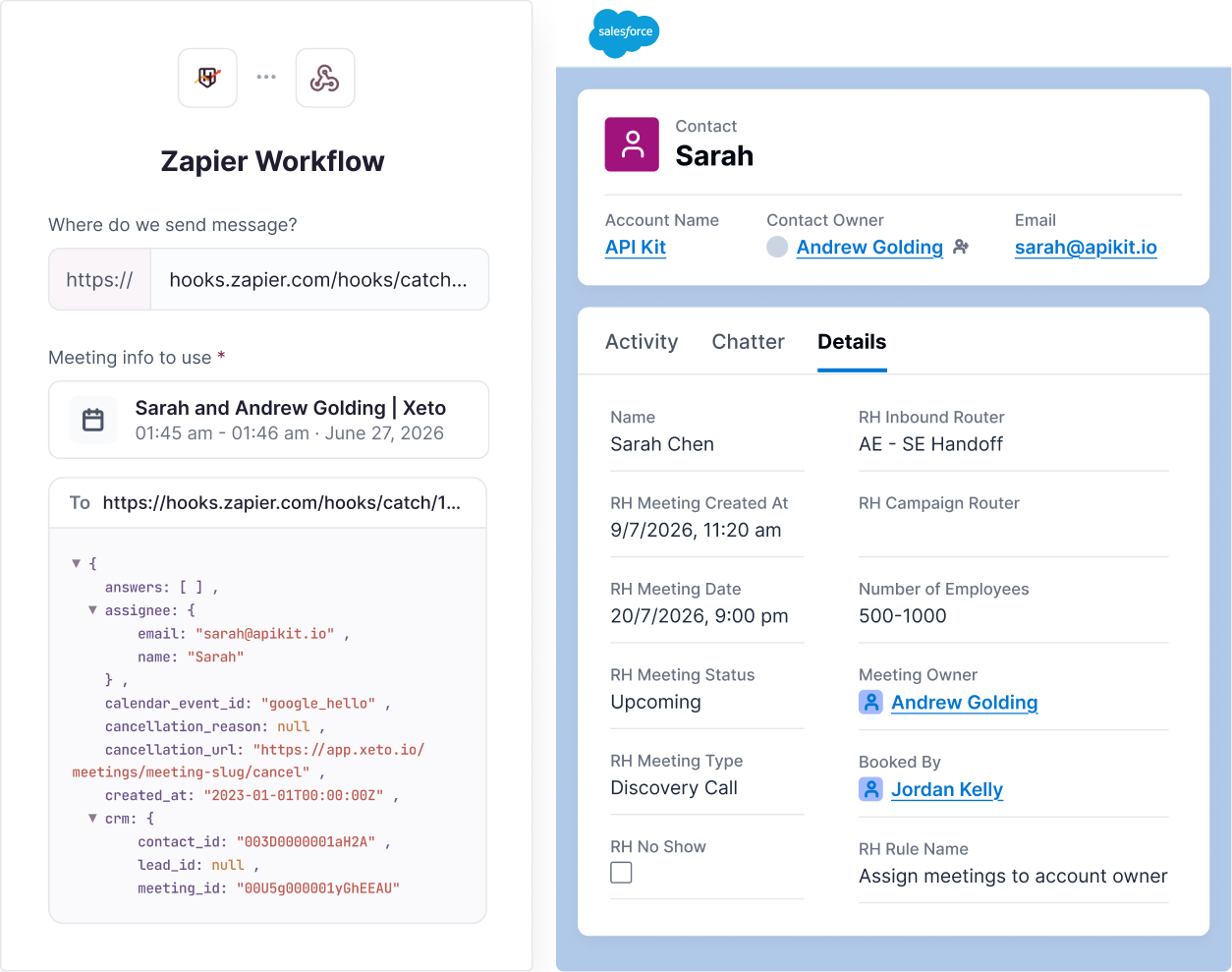
Meeting data lands on the CRM record automatically, and webhooks carry the rest to wherever your team already reports.
- Meeting-level properties in the CRM: meeting type, no-show, router, and rule land on the HubSpot or Salesforce record automatically
- Full-payload webhooks: any meeting event to any HTTPS endpoint, warehouse and BI included
- Testable before you trust it: fire a test at the endpoint, with custom headers if your stack needs them
- Rebuild any report downstream: the same data behind these three reports syncs out in real time
“As a CRM Admin, I can honestly say that implementing RevenueHero has helped me save a significant amount of time I used to spend in data management.”

.svg)


Every meeting outcome now lands in Salesforce, including no-shows
"Having a scheduler does more than just get the meeting on the books. It actually can get around some of those important cybersecurity initiatives that these folks have."

Ask your current tool why one rep booked 3x the meetings


