.png)

This month so far has been about prepping your setup to take bookings, and tracking them throughout the lifecycle. Test submissions and spam cleared out, a complete trail of every change to a meeting, and a flag when the invite could never reach the booker. Plus more ZoomInfo company data.
You set up the routers, tested the booking flows on every page, and you're ready to launch. Except those test bookings are still hogging slots and skewing reports. Delete a meeting or a routing log and it clears out of your lists, graphs, and the calendar. You can also block the email or the domain while you’re at it. It sits in Trash for 30 days and can be restored if the slot is still available. Round robin credits go back to your reps, ready for real meetings.🗑️
Meeting logs have been upgraded to hold a complete trail of every change that occurs to a meeting since booking. Open any booking to see which page it came from and the exact reminder the prospect got. The new Activities log records each change with who made it, when, and where. Changes made outside RevenueHero, like editing the guest list in the calendar, are recorded too. So when someone asks why the meeting moved, the answer is already there. 🔍
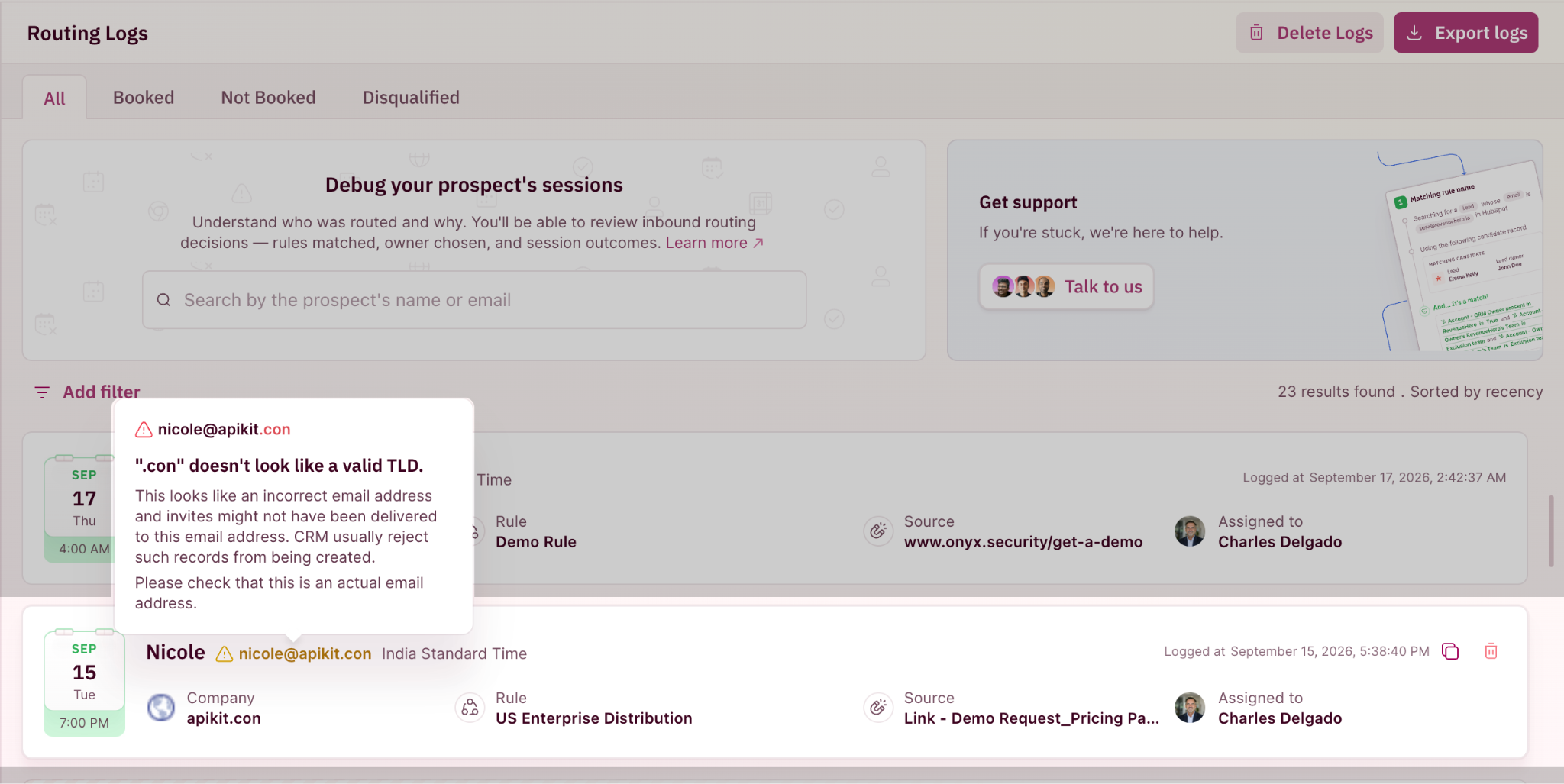
Routing logs and meetings flag booked emails that aren't valid: a “.con” instead of “.com”, or an improperly formed email id. They land because you don't want to block a buyer, and turned off “Disqualify submissions with invalid email addresses”. The booking sits on a rep's calendar looking perfect, except the invite would never have reached the booker. Now the rep can follow up before it becomes a no-show. ⚠️
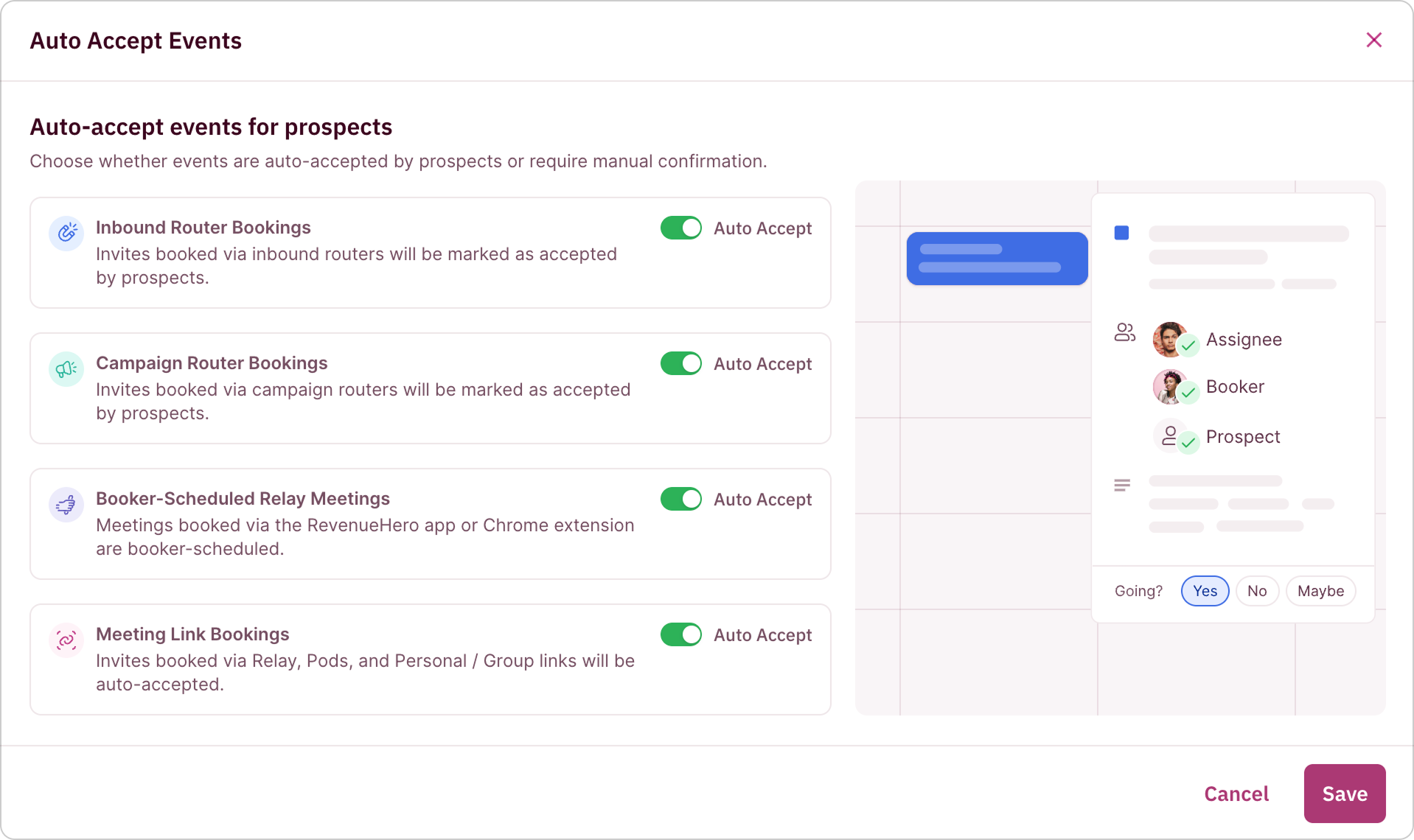
Whether an invite from a personal link, group link or Relay lands pre-accepted on the prospect's calendar is yours to set. Leave it on when someone picks their own slot. Turn it off when you send the invite and want a confirmation. ✅
When a meeting finishes, RevenueHero marks it completed and writes that to your CRM contact and the meeting activity. Turn the setting off if you want your own automations to control how the status shows up, or your reps update it manually and don't want it overwritten. 🎛️
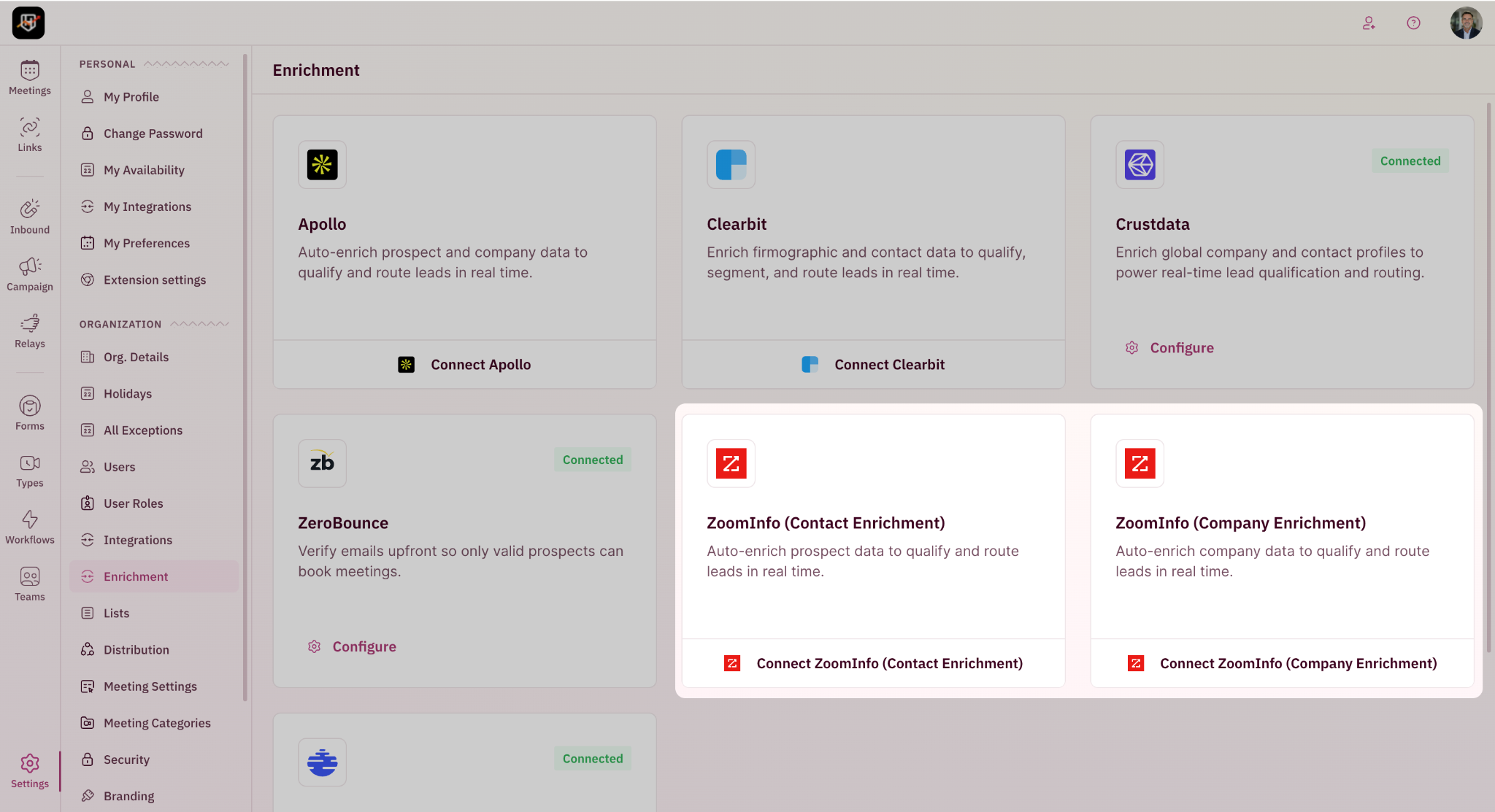
ZoomInfo contact enrichment and company enrichment are now two separate integrations. Both work as before, with more fields to compare on the company side, including funding round and last funding amount.