


.png)

This month's theme? Make sure the right rep is on every meeting. Cover for the rep who's out. Cap the rep who's overloaded. Override the system when you know better. And ten more. Phew, April went fast.
AE Maya wakes up Monday with a sick toddler. Posts an all-day OOO event and signs off. A prospect lands on her follow-up link an hour later. Sees no slots. The booking stalls until she's back.
Assign a nominee to any rep. When that rep has an all-day OOO event on their calendar, RevenueHero swaps in the nominee's availability across matching rules, single-member rules, and meeting links. Maya's nominee Theo shows up on her links for that day, the prospect books with Theo, and Maya's pipeline keeps moving. One nominee per rep. Only kicks in on the days the rep is actually out. 🔄
Eight form fields. Half don't apply to half your prospects. They fill them out anyway. Drop-off climbs.
Form fields can now be conditional on multiple other fields with AND and OR logic. Hospitality with 1,000+ employees? In your ICP, skip the rest. Hospitality under 1,000? Show the Annual Revenue field to check fit.
%20(1).png)
Only ask what's relevant based on what the prospect has already told you. Works on every meeting link and Quickbook. 🧠
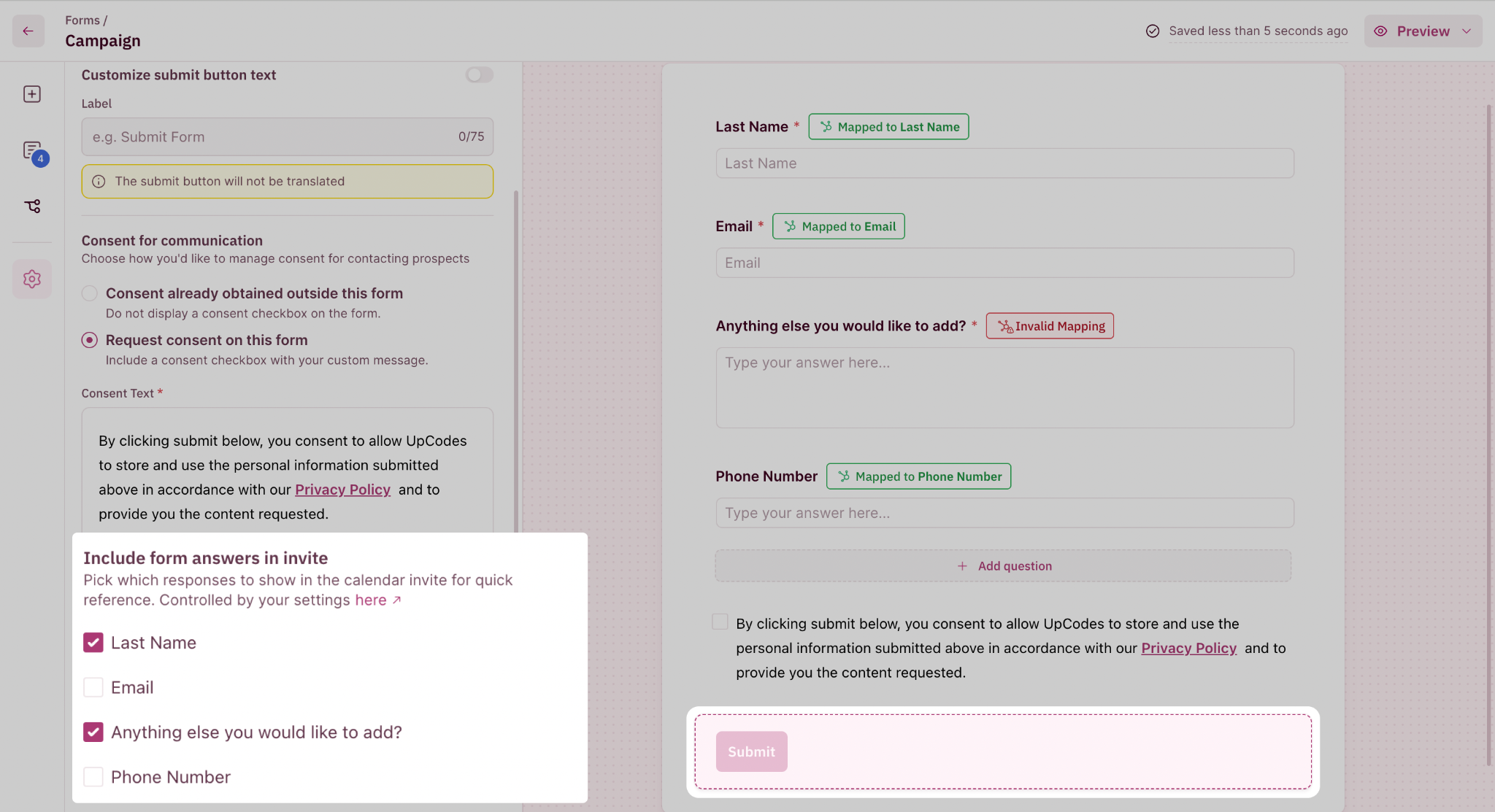
Your form has 8 fields. Five are for routing. Three are useful for meeting prep. Until now, the calendar invite was all or nothing.
From a form's edit settings, pick exactly which answers land in the invite body. The three fields your AE actually needs, and that reminds the prospects why they booked the meeting none of the routing fluff. 📋
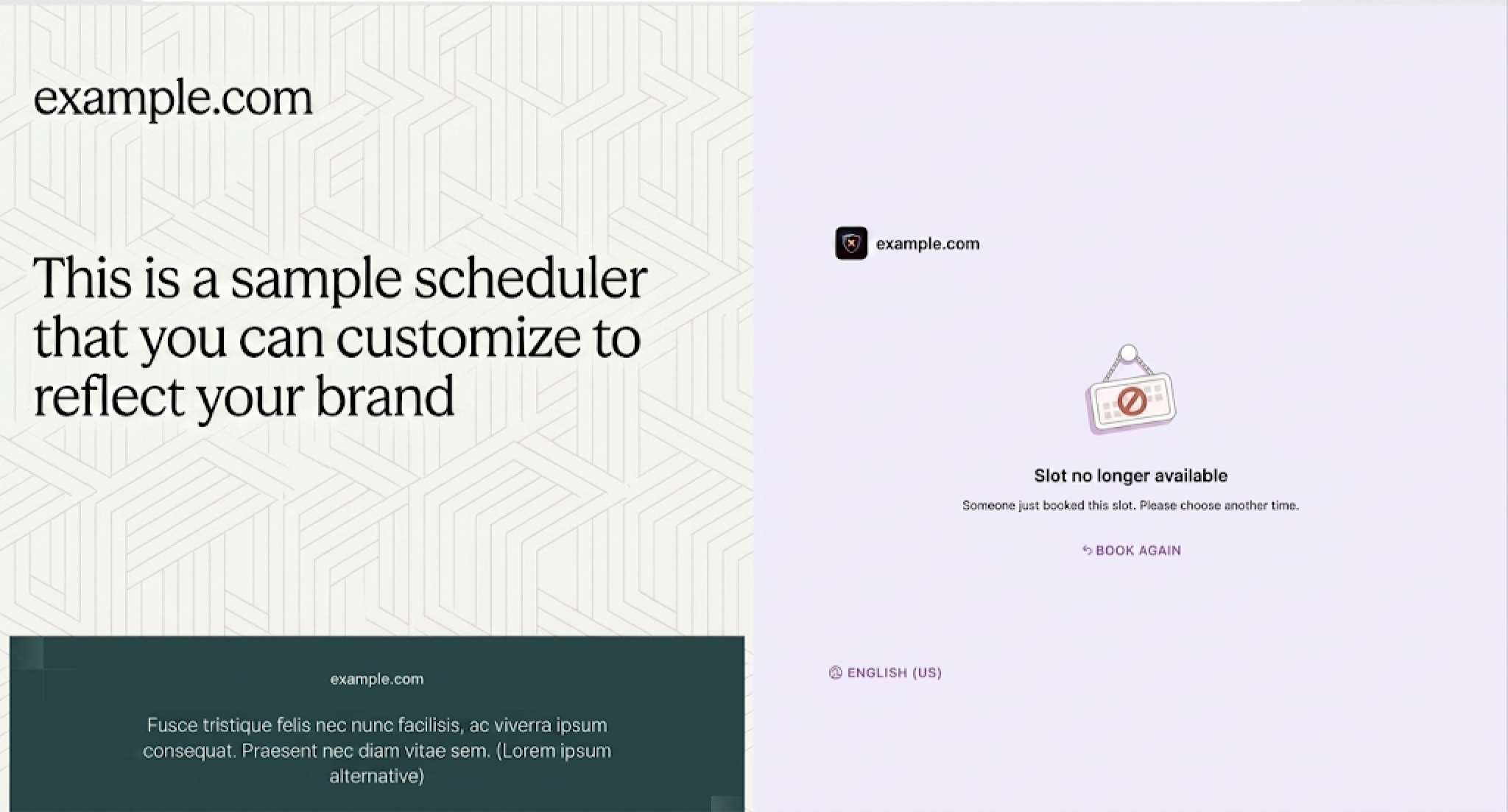
Two leads from the same campaign click the same SDR's link at 9:01 AM. Both pick 11:00 AM. Both bookings went through. The rep walks into one calendar event with two strangers staring back.
Fixed. First booking locks the slot. Second prospect picks a different time. 🏁
Your Slack alert says "Meeting booked with Sarah from Acme." Useful. Less useful: your AE still has to open HubSpot to find the lead score, ARR, and deal stage before the call.
Workflow action templates can now pull CRM fields from HubSpot, Salesforce, and Zoho into internal actions: Slack notifications, and assignee emails. Post "Sarah from Acme, ARR $250K, deal stage Negotiation" straight into #ae-deals.
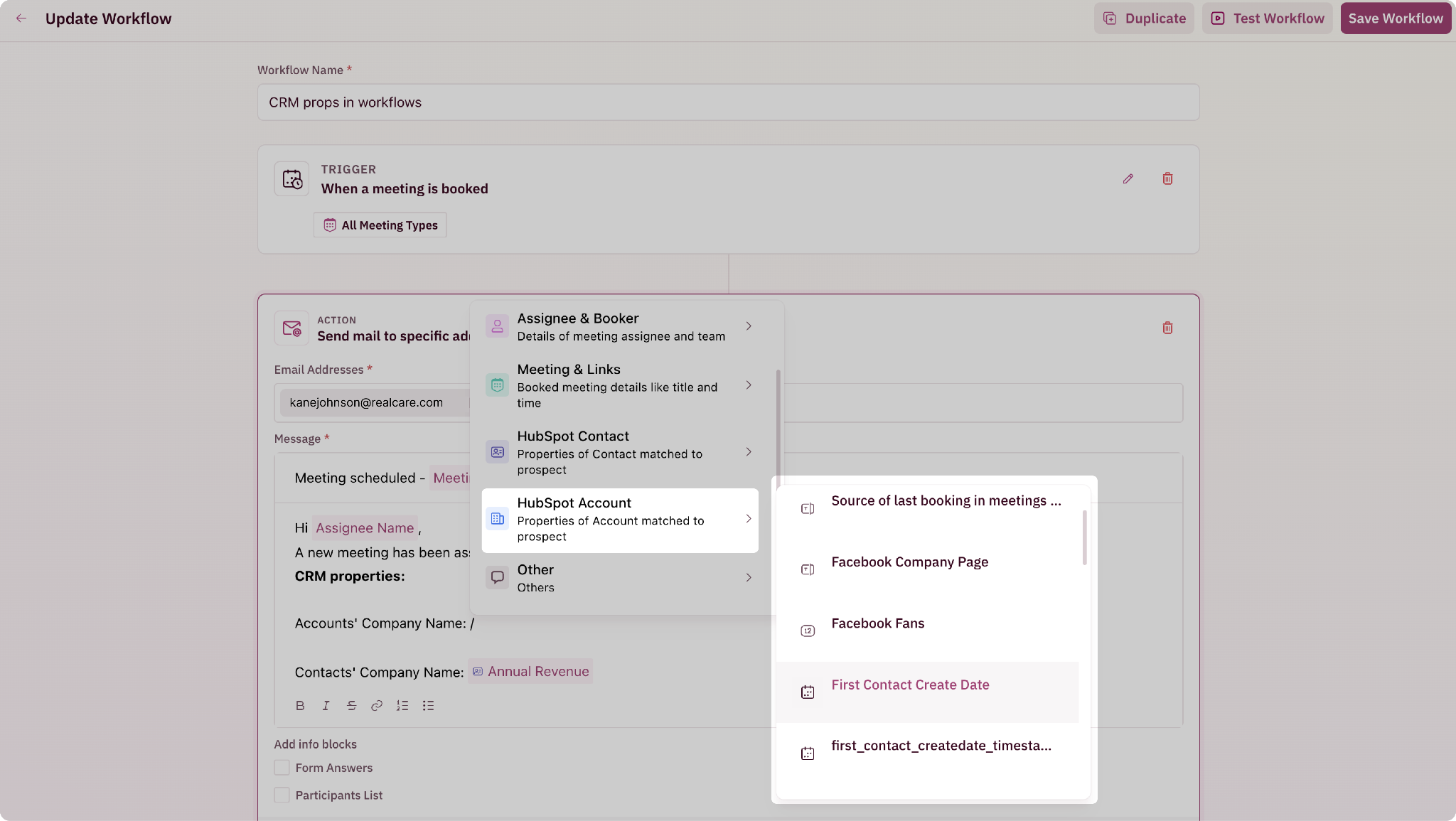
Internal actions only. Prospect-facing emails and messages can't pull CRM data, because leaking your lead score to a prospect is nobody's idea of a good time. 🎯
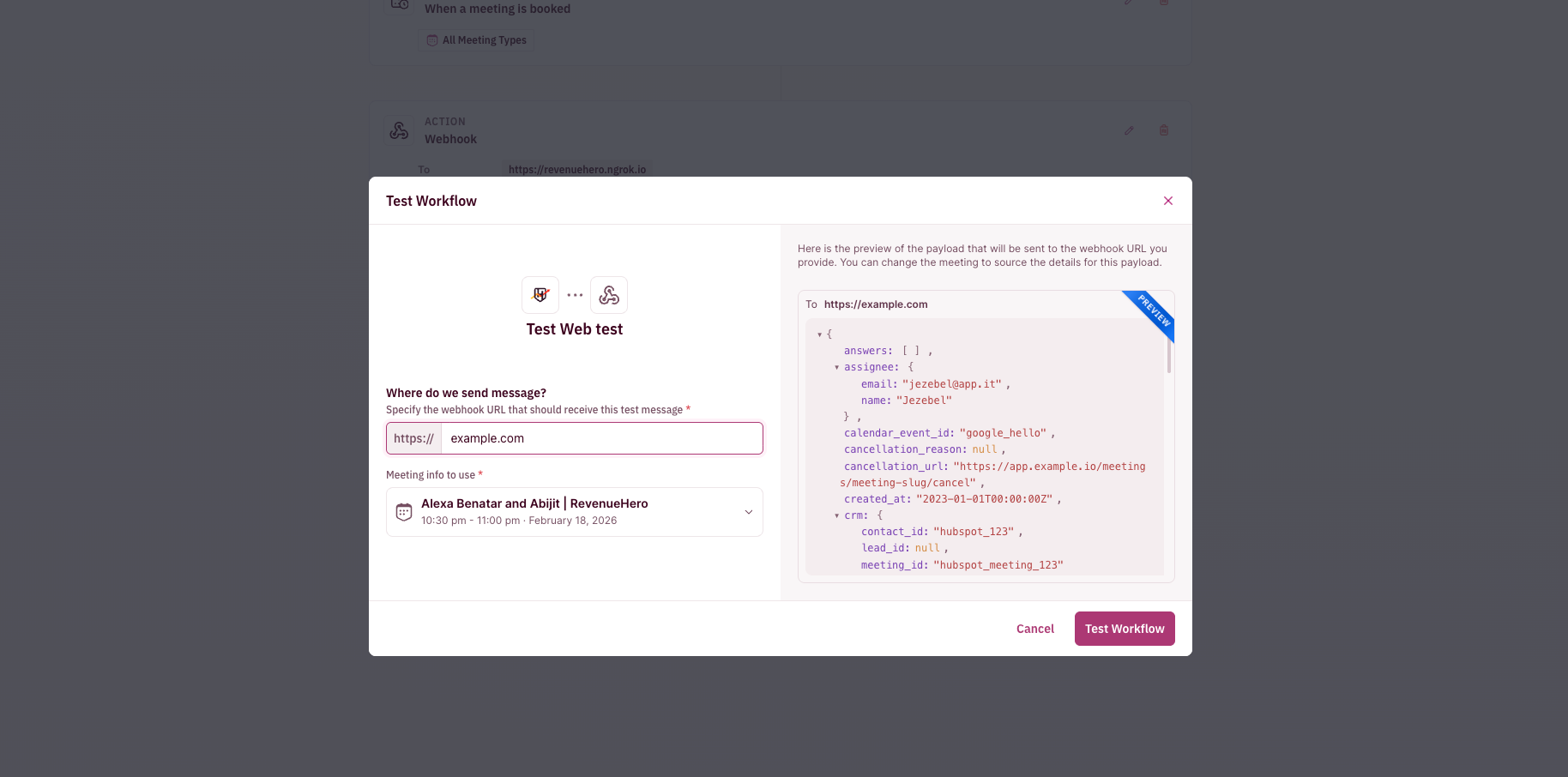
You built a workflow. Slack alert when a high-ICP prospect books. Assignee email. Webhook to your warehouse. Now you can verify all three before flipping it on.
Hit the test button on any workflow and fire a test run through email, webhook, Slack, or SMS. Placeholders render with sample data so you can see how it lands. Catch a broken template before your team does. 🧪
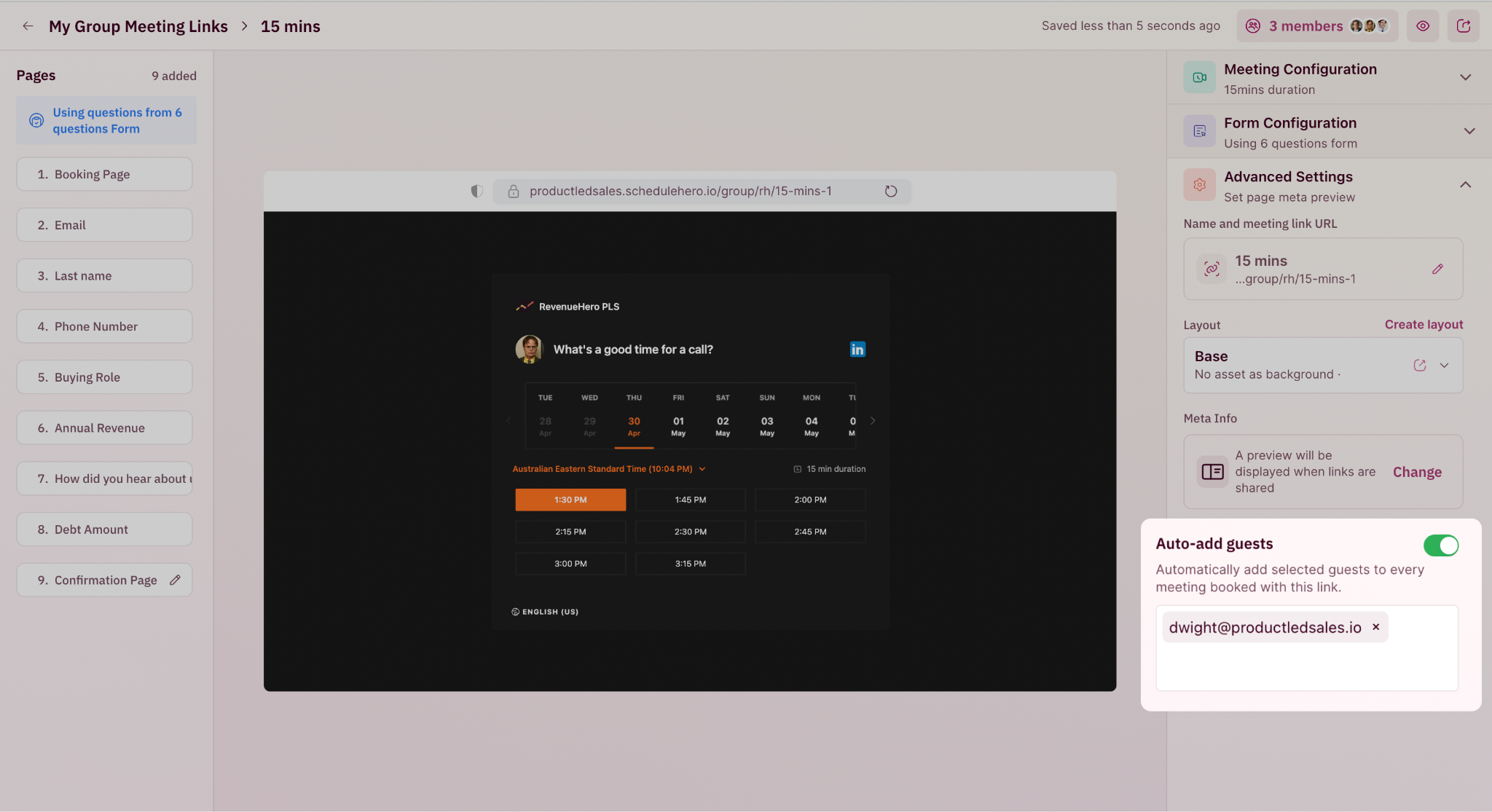
Your AE wants their SE on every demo. So they manually CC the SE after every booking. Except every third Tuesday, when they forget.
Toggle Auto-add guests on any Personal Link or Group Link in Advanced Settings, paste in the addresses, and every booking includes them as calendar guests automatically. Admins can set this on a rep's link too. Set it once, stop thinking about it. 📬
The named AE for your biggest logo just freed up. Their meeting is heading to a generalist because the system says they're "unavailable." You know better. Until now, you couldn't override.
Unavailable members are clickable in the reassignment flow. Force-reassign and the meeting lands on their calendar. The right rep gets the right meeting. They sort out the calendar conflicts on their end. 💪
Debugging "why did the Enterprise EMEA rule fire for this lead?" meant scrolling through every log entry. With dozens of rules in production, that's a lot of scrolling.
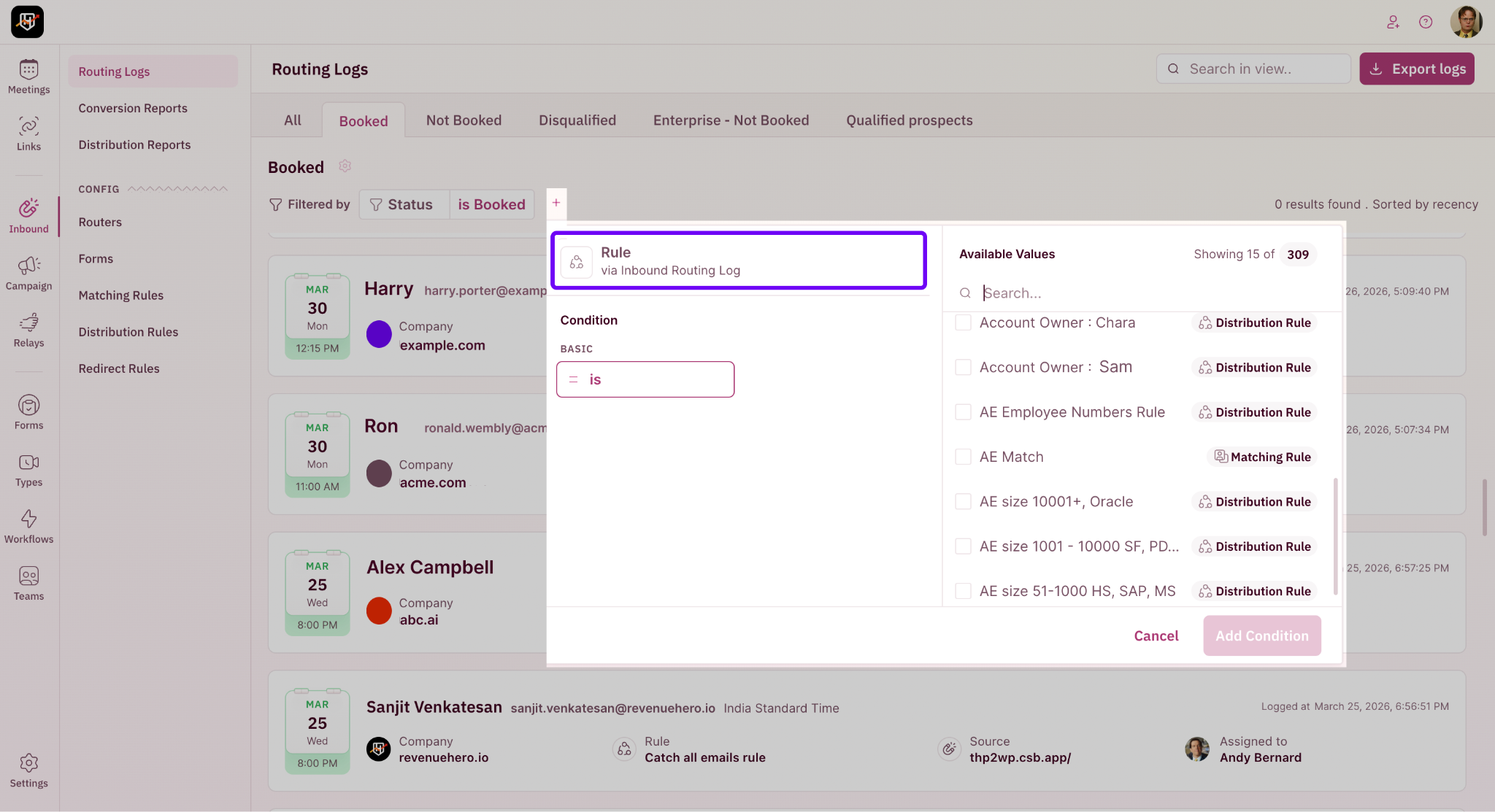
Routing logs now filter by which rule fired. Pick "Enterprise EMEA," pull the last 100 hits, see if it's matching too aggressively or not enough. Targeted debugging instead of a haystack. 🔍
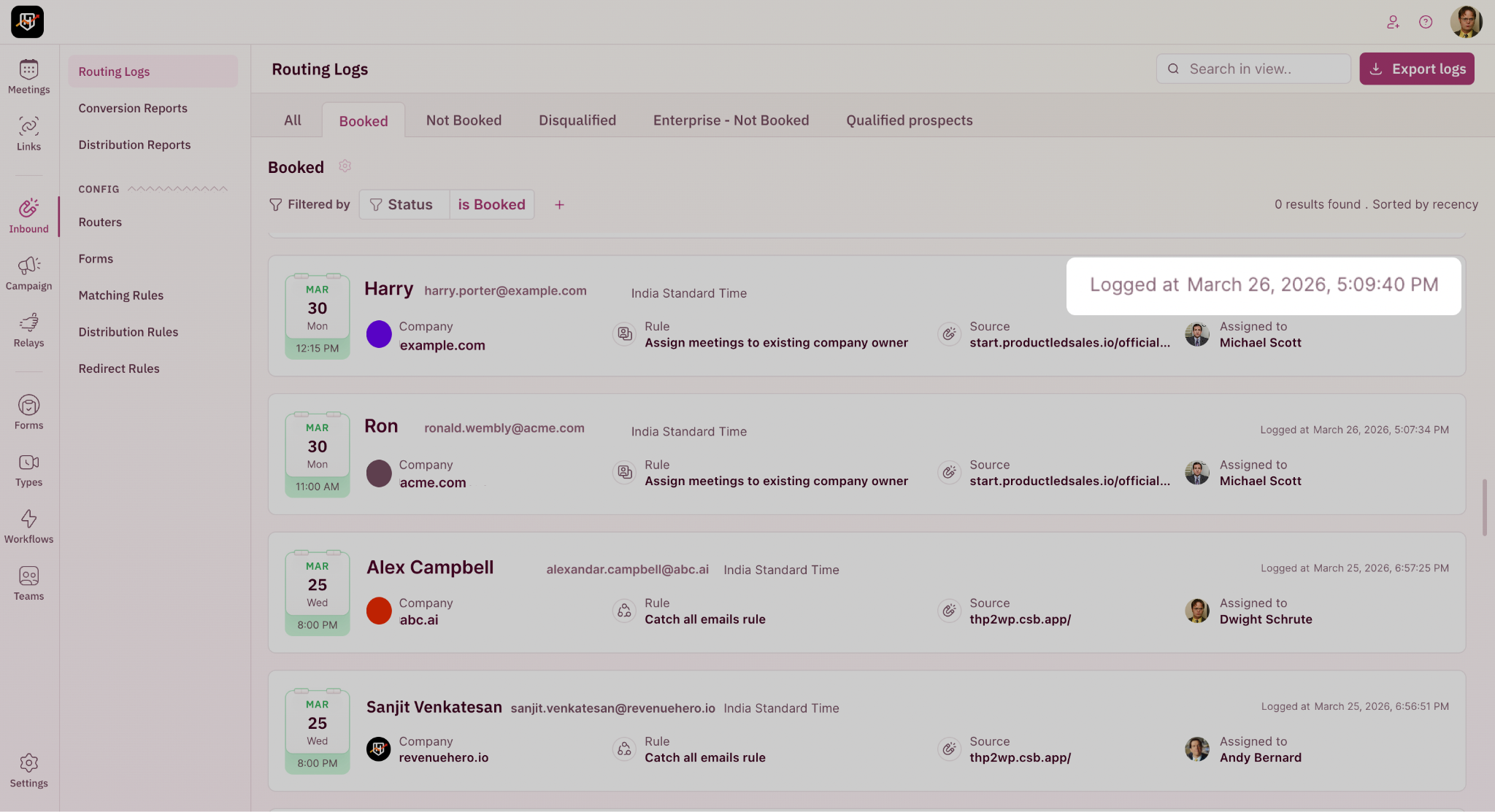
The "Logged at" timestamp column is back on the inbound router routing logs view.
A prospect complains they got the wrong rep, RevOps lines up the form submission timestamp against a near-simultaneous Salesforce ownership change, mystery solved in minutes. 🕐
Marketing renamed the Q2 campaign. Router slug still says /spring-promo.
Edit slugs for campaign and inbound routers right in the app. Open the router, change /spring-promo to /q2-promo, save. Done. 🔗
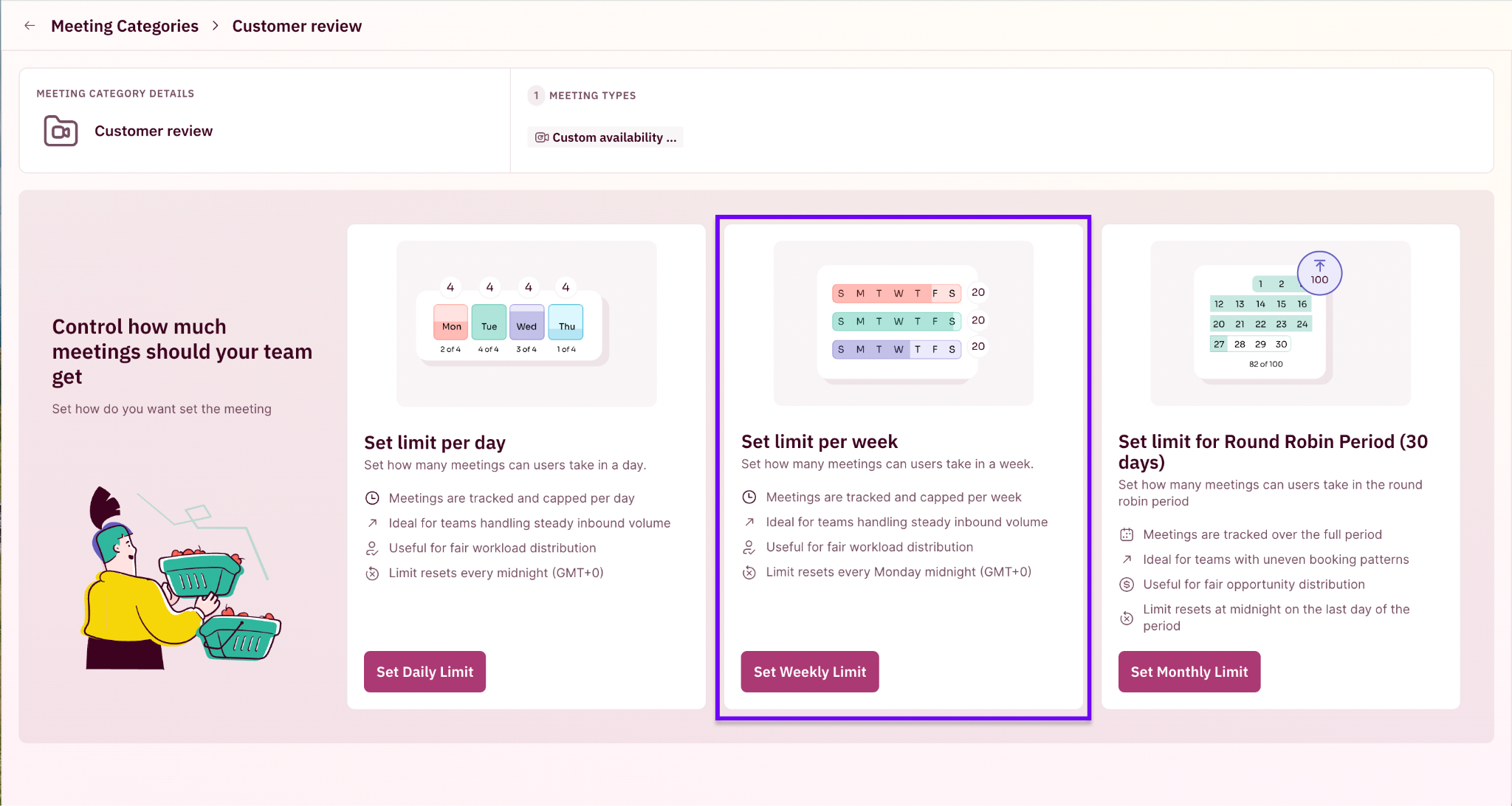
Daily caps were too tight. Monthly caps were too loose. Weekly was the obvious gap.
Meeting Categories now support weekly limits alongside daily and monthly. Soft cap of 20 discoveries per AE per week? Set 20 on the Discovery category. Round robin holds the line all week, then resets every Monday. ⚖️
Your product launch is May 15. Pre-launch emails go out May 8. Prospects click through and start booking demo slots before the launch even happens, not ideal. You can now pick when the calendar opens. By setting Start showing slots from in a meeting type's Scheduler Settings.
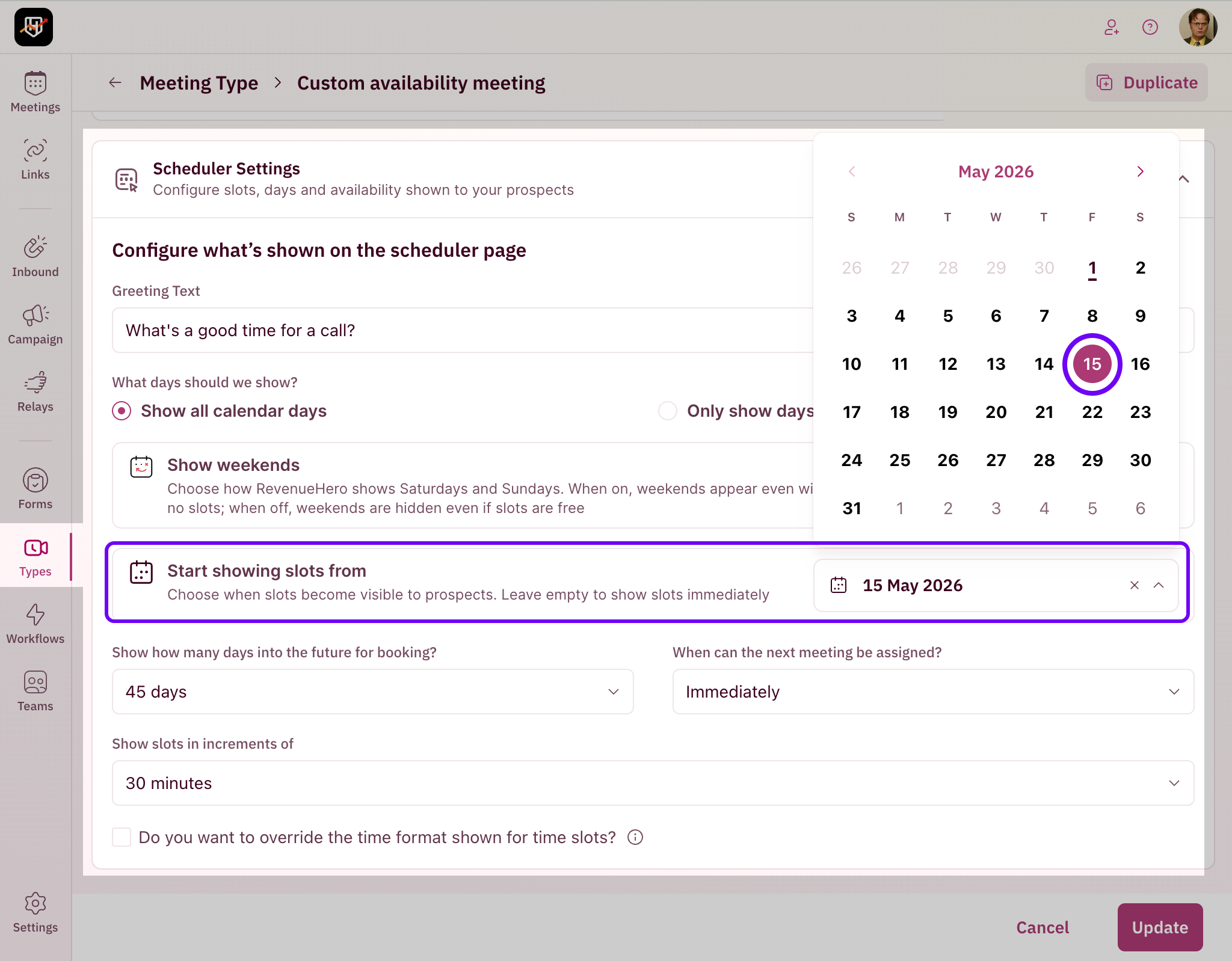
The calendar opens on that date, not before. Set it once, the scheduler waits until you're ready. 📅


