.png)
Your star rep is all set to start Q2 with a bang.
You’ve done your part: oiled the lead generation machine well enough that it spits out hot qualified leads, and nothing else. Your rep rehearsed their pitch seven times in front of the mirror this morning. They researched the prospect’s tech stack and they showed up two minutes early on the Zoom call.
Except the prospect didn’t.
If your sales team runs 200 demos a month, but at a 25% no-show rate, that’s 50 wasted AE opportunities every month. This further cascades into forecast errors, leaks in rep morale, and a pipeline math problem that compounds.
Most advice on reducing no-shows starts (and ends) with “send better reminders”, which makes RevOps and marketing folks go:

Show rates are a lagging indicator of everything that happens upstream: the channels that drove traffic, what message those channels carried, and whether the person who reached your booking page was a high-intent prospect, or yet another tire-kicker.
The three biggest levers are upstream of reminders:
- Scheduling model: Who books the meeting, and how fast after intent peaks
- Reminder stack: Cadence, channel, and who the sender looks like
- Routing discipline: Who the meeting lands with, and how no-shows get credited back
This guide covers these in detail, along with specific tactics across every stage, derived from practices followed by real B2B SaaS companies running on RevenueHero, who have reduced their no-show rate to 5.5%.
We don’t promise you zero no-shows, that doesn’t sound…realisitc. There’s no silver bullet to completely eliminate no-shows. However, reducing it to just one no-show in twenty is a towering advantage you could gain over your competitors.
What counts as a “normal” sales meeting no-show rate?
We pulled 18 weeks of meeting conversion data and looked at companies using RevenueHero with 50+ meetings booked every month. Here’s what their no-show rates actually look like:
We also looked at these rates across company segments:
Enterprise companies hold the cleanest rate, largely because they’ve already invested in reminder, routing, and qualification infrastructure.
No-shows break three things at once:
- Pipeline math: AE capacity burned on empty rooms
- Rep morale: Nothing kills momentum faster than a dead calendar
- Forecasting: Your conversion model assumes meetings actually happened
Getting the rate down is one of the highest-leverage process fixes in sales.
Why prospects skip sales meetings (the real reasons)
Most no-shows have a root cause that has nothing to do with the prospect being flaky. The causes span the full funnel, from how they found you to what happened on the day of the call.
Upstream causes (decided before the prospect ever books)
- Targeting the wrong audience: The prospect came through a low-intent channel, or saw the messaging that didn’t match what the call would actually cover, or landed on a page with no relevant social proof.
- No relevant context on the page: The site experience didn’t give the prospect any reason to believe this meeting would be worth their time: no case studies from their industry, no concrete outcomes, no clear sense of what the call would cover.
Booking and scheduling causes
- Booked too far in advance: A demo booked 11 days out has a materially lower show rate than one booked the same afternoon. Intent decays.
- Mismatched expectations at the booking step: The booking page said “15-minute product demo” but the prospect filled a “strategy consultation” form. The calendar showed slots in the wrong timezone. Or, the prospect booked based on incorrect information and mentally checked out, before the meeting arrived.
- Booking friction: A small amount of friction (a qualifying field, a confirmation click) separates a serious buyer from a window-shopper. Without it, your calendar fills with bookings from people who weren’t committed.
Pre-meeting causes
- Weak reminder cadence: One reminder isn’t enough, while not sending a reminder is a forecast error.
- Unrecognized sender: Emails from “notifications@<scheduling tool>” get ignored by non-technical buyers, who don’t recognize the brand.
- Wrong rep or routing: The prospect opts out before the meeting starts, due to bad fit, wrong region, or an AE who wasn’t clearly briefed about the call.
If you’re having routing headaches, our guide on how to audit your lead routing workflow walks you through the failure modes and how to rectify each.
Most teams only work on the pre-meeting causes. The real gains live upstream.
The full-funnel approach to reducing no-show rates in B2B sales calls
#1: Start at the top: right audience, right channels, right message
This is where the biggest structural gains live. If the people booking meetings with you aren’t your right audience, no reminder cadence will save your show rate from plummeting.
Find channels that produce high-intent bookers
Meetings get driven through multiple campaign types: paid search, content syndication, webinars, outbound sequences, partner referrals, product-led flows. Each channel attracts a different profile with varying intent levels.
Break your no-show rates by source. You’ll find that some channels produce meetings where the majority of your prospects show up, while others sit below 50%. This tells you where to invest more and where to stop spending.
A prospect who clicked through from a case study about their specific problem and filled a demo form is different from someone who registered for a webinar, watched five minutes, and got auto-enrolled in a demo sequence. While both count as “booked meetings” in your CRM, only one is likely to show.
Ensure message alignment
Your ad copy, your email subject line, and your landing page’s headline set the expectation before the prospect ever books. If the message promises a “quick overview” while the meeting is a 45-minute full-product walkthrough, you’ve given the prospect a reason to skip even before they open the calendar invite.
Messaging alignment is an underrated lever for show rates. When the prospect’s expectation matches what the call will actually deliver, they have a reason to show up. When it doesn’t, they have a reason to skip.
Review at a regular cadence
This is not a set-it-and-forget-it operation. Audiences change, channels shift, and what worked last quarter might not be attracting the right crowd this quarter. Review your channel-level no-show breakdown monthly, and look for:
- Channels where show rates have dropped over the past 30–60 days
- New campaigns that are producing volume but not attendance
- Messaging that has gotten stale or disconnected from your current product positioning
#2: Fixing what the prospect sees on your site before they book
Once someone clicks through from your channel, what they experience on your site determines whether they become a high-intent prospect or stay a window-shopper.
Analyze behavior and segment your traffic
- Run heatmaps on your highest-traffic pages: Where are your prospects dropping off? Where are they spending most of their time? If a visitor scrolls past your demo CTA without clicking, check for the placement or page context before tweaking the CTA copy.
- Classify different companies and personas: A startup founder browsing your pricing page and an enterprise procurement lead reading your security docs need different booking paths. One-size-fits-all CTAs might cause low show rates across the board, because they fail to match intent at the moment of decision.
Put relevant social proof where it counts
A prospect that sees a case study from their own industry, a logo carousel featuring similar companies, or a concrete outcome (“cut onboarding time by 40%”, for instance) enters the booking step with genuine commitment. Specificity is what makes social proof work.
Our analysis of what makes a 70%+ converting demo page breaks down exactly how top performers structure proof, form placement, and page layout to maximize booking commitment.
Match the CTA to the page and the campaign
Meetings are driven through multiple types of campaigns, and each campaign type demands a different entry point. A pricing page visitor is ready for a sales conversation, a blog reader exploring a pain point, or a product user hitting a paywall, each needs a different booking path.
The right CTA on the right page in the right section, filters intent before the calendar even loads. When the CTA matches the prospect’s mindset at the moment they see it, the resulting booking carries real commitment.
#3: Managing the booking experience
Even after the right audience lands on the right page, the booking experience can still create no-shows if it's misaligned with the prospect's context.
Make the landing page reflect what the prospect signed up for
A prospect who filled a “strategy consultation” form and lands on a booking page that says “15-minute product demo” has already started disengaging. The messaging on your scheduling page needs to reflect what the prospect thinks they signed up for.
Match the timezone and audit available slots
Timezone: If your scheduler displays slots in your team’s timezone instead of the prospect’s, prospects either book at inconvenient times (and then skip), or they notice the mismatch and lose trust before the call starts.
Slot availability: Open your own booking page like you were a prospect. Answer the following questions (and do this as a quarterly exercise):
- Are the earliest available slots within 2–3 days? If the first open slot is next Thursday, you’ve already lost the speed advantage.
- Are slots clustered at times that work for your team but not for your buyers?
- Are there enough options available? A page with two available times reads as “this person is too busy for me”, and the prospect bounces.
When the prospect feels like the booking experience was built for them, they treat the meeting as a real commitment.
Book within minutes, not days
The longer the gap between form fill and meeting, the lower the show rate. Here’s the rule of thumb:
- Inbound: Book at the form fill, during the same session
- Outbound: Inside 24 hours of the prospect responding. The ceiling should be 3 days.
- Product-qualified leads: Same session, within your product
The inbound rule is where most teams bleed. A prospect fills a demo form at 11:30 AM on a Monday morning with their credit card budget on their table. If your scheduler loads on the thank-you page, you book them for 2:00 PM that same afternoon. If it doesn’t, your BDR sees the lead at 2:00 PM, sends an email at 2:15 PM, and the prospect books for Thursday next week (if at all). And come Thursday, your prospect has already seen two competitors, or worse: signed with one of them.
One of our customers takes this further. Every inbound AE is trained to call the prospect within 5–10 minutes of form fill, even if the prospect has booked a slot for next week. This works because by the time the scheduled meeting rolls around, the prospect has already spoken to the AE. They know who they’re meeting, what the call will cover, and why it’s worth their time.
This is also the fastest lever to pull. An inbound scheduling setup is a settings change, and there’s no process overhaul required.
Qualify before the calendar link
A small amount of booking friction raises show rates by filtering out low-intent bookers before they consume a slot. You can fix this by:
- Adding a few qualifying fields (company size, role, use case) before the calendar loads
- Route qualified leads to the scheduler, and unqualified leads to a nurture track
- Reject free-email-domain signups unless your market includes consumer buyers. Route potentially low intent domains to SDRs instead of AEs.
Any lead completing the qualifying step has demonstrated intent to show up. Anyone who abandons at that step was never going to show anyway.
#4: Reminders and pre-call setup
This is where most no-show advice starts. It's important. But it's one layer in a system. When the upstream work is right, reminders compound on top of already-high intent. When it's not, reminders are polishing a broken funnel.
Set up a 2–3 reminder cadence (24h / 1h / 30 min)
Every high-show-rate customer runs a version of this universal baseline. This is the recommended cadence:
- 24 hours before: Full reminder email with agenda and join link
- 1 hour before: Short email to resurface the meeting at the top of the inbox
- 30 minutes before: Final prompt, ideally via calendar notification or SMS
One of our customers did not have a prior reminder system. They added two automated reminders, and that produced an immediate drop in missed meetings. This doesn’t guarantee eliminating no-shows, but it has a significantly better chance of reducing it.
Add SMS to your reminder stack
Email reminders have a ~20% open rate, while SMS reminders have a 98% open rate.
For mobile-first buyer personas, SMS is the single highest-impact add to your reminder stack. The data gets specifically actionable here. One of our customers’ clientele is consumer-facing, so text hits harder than email. Even when their meeting volumes doubled, their no-show rate held steady at 12%.
A compliance note: collect SMS opt-in at the booking step, not silently. A silent opt-in causes TCPA exposure and deliverability issues.
This under-discussed tactic is one of the highest-ROI changes you can make in an afternoon.
White-label your reminder sender domain
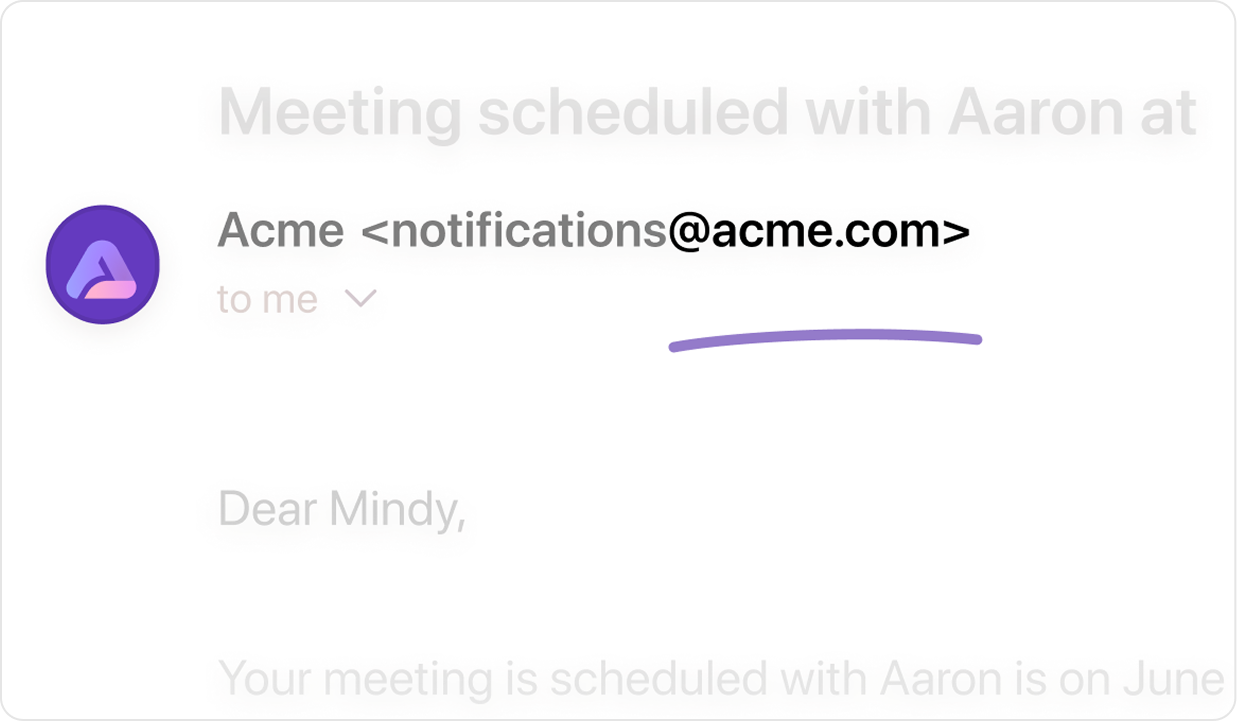
The default sender on most scheduling tools is something like “notifications@<tool domain>” or “noreply@<tool domain>”. A technical buyer recognizes those senders, but a non-technical buyer sees an unknown sender, assumes spam, and deletes it.
The fix: set up DNS and send reminders from “notifications@<your company domain>, so that the sender looks branded and trusted. If you already have reminders in place but deliverability is the bottleneck, this is the missing piece.
Top performers on RevenueHero send reminder emails directly from their own domain instead of generic tool branding. It's one of the reasons their average no-show rate sits at just 5.5%.
Send a pre-call agenda that signals value
One of our customers noted that when an email was sent with the agenda in place, their show rate was 50%, compared to a plain calendar invite’s show rate of 20%.
Same pipeline, same product, same buyer. An invite from the AE’s own email, with a personal note attached, reads differently in the prospect’s inbox than a machine-generated calendar notification from a scheduling tool.
The implication for your demo invites is direct. Replace the default invite with a personal note from the AE that covers:
- What you'll cover: Three bullets, specific to their use case.
- Who's attending on both sides: Names, roles, LinkedIn links if relevant.
- The expected outcome: "By the end of the 30 minutes, you'll know whether X is a fit."
Personalization creates a social commitment to show up.
#5: After the no-show: routing discipline and recovery
Even with the full upstream and meeting-day stack in place, some prospects won't show. What you do with those no-shows determines whether they stay a loss or become a second-chance conversion.
Treat marked no-shows as retargeting input, not dead leads
Most teams treat a no-show as a loss, but the truth is they have demonstrated enough intent to fill a form and book a slot. They just didn’t show up at “that time”.
One of our customers flipped the script. Their reps mark no-shows consistently on their CRM and via RevenueHero. The no-show flag triggers a downstream marketing workflow that runs a second-chance campaign: with a different angle, a new piece of content, and a one-click rebook link.
However for this to work, your reps must actually mark no-shows, and a nurture sequence must fire for the no-show flag: a dedicated one that acknowledges the miss and makes it frictionless to book again.
This might be the single highest-impact tactic on the list, because it converts your no-show rate from a pure loss into a second-chance conversion lever.
Make rep incentives align with honest no-show data
Here’s the hidden problem behind every tactic above: if your reps don’t mark no-shows, you can’t measure them, learn from them, or retarget them. The problem isn’t the rep causing no-shows, it’s the rep being incentivized to hide them. Here’s how you fix it:
- Credit-back logic: When a rep marks a no-show, the meeting returns to the round-robin pool and the rep moves back up the queue. Marking a no-show becomes “good” for the rep’s pipeline, and every rep marks no-shows honestly, because not marking might cost them their next meeting.
- Balanced round robin with frequent resets: Distribute meetings proportional to rep capacity, and reset the round-robin weekly (or every two weeks). Without this, a single bad week of no-shows can starve a rep of future meetings and demotivate the whole team. With it, rep incentives and company incentives stay aligned.
How it all compounds
No single tactic is a silver bullet. The compounding effect is what improves the company’s show rates.
Common mistakes that increase no-shows
A few patterns that actively make no-show rates worse:
- Skipping the upstream work entirely: Running reminder optimizations on top of a funnel that's attracting the wrong audience is treating symptoms. If your blended no-show rate is above 20%, start by breaking it down by channel and source before touching anything at the meeting level.
- Never auditing what prospects see when they book: Timezone mismatches, stale slot availability, mismatched landing page messaging. These are silent no-show generators that nobody catches because nobody checks.
- Letting buyers book 3+ weeks out: Show rates drop sharply past the 3-day mark. Cap the window in your scheduler.
- Using unrecognized sender domains: Worth saying twice. Non-technical buyers delete unbranded emails.
- Running one email reminder, no second touch: One reminder is worse than two, and the marginal cost of a second reminder is zero.
- Treating no-shows as a rep performance issue: Reps don’t cause no-shows, they’re probably being incentivized to hide them. Fix the incentive, not the person. If multiple reps cluster around 25% no-shows, the problem is above the rep layer.
- Not tracking no-show rate by source, rep, and meeting type: A single blended number hides the leak. Break it down by inbound vs. outbound, by rep, by meeting type, and by booking window. One of those dimensions will show you where the leak actually lives.
If you want to see what the full stack looks like in one place, book a walkthrough with our sales team today.
Let RevenueHero help your team turn high-intent users into booked meeting without slowing down your funnel.